

Risk exposure combines a judgment about likelihood with the potential impact. The following matrices are educational examples from NIST's supply-chain guidance. They are not universal CSFaaS defaults: product assessments use the matrices configured for the workspace.
Likelihood level
In this example, the threat and vulnerability ratings determine a likelihood category. Read the threat row and vulnerability column together.
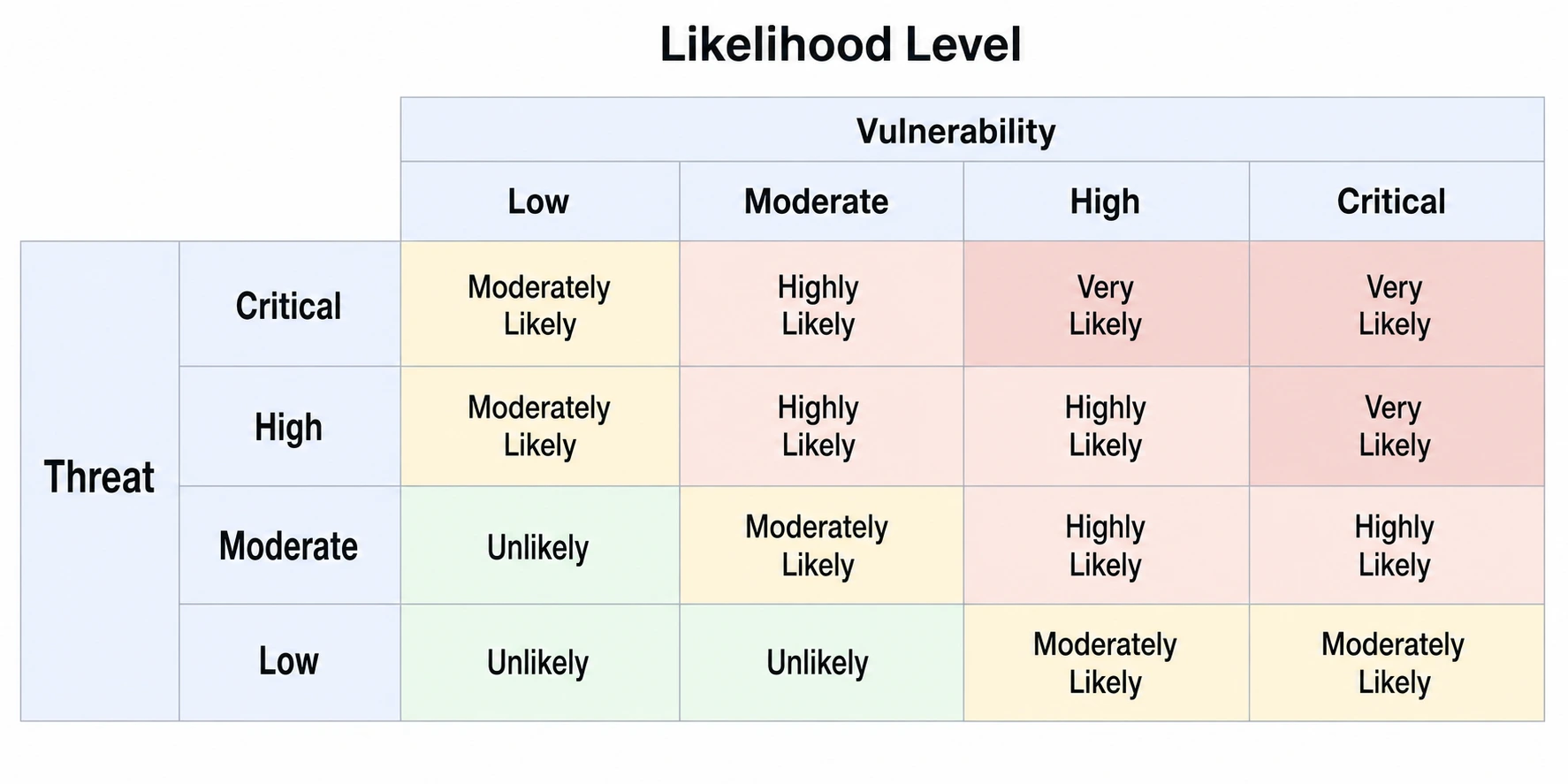
| Threat / Vulnerability | Low | Moderate | High | Critical |
|---|---|---|---|---|
| Critical | Moderately Likely | Highly Likely | Very Likely | Very Likely |
| High | Moderately Likely | Highly Likely | Highly Likely | Very Likely |
| Moderate | Unlikely | Moderately Likely | Highly Likely | Highly Likely |
| Low | Unlikely | Unlikely | Moderately Likely | Moderately Likely |
Overall risk exposure
Combine that likelihood category with the impact category in the second table. For example, Highly Likely and High impact produce High exposure in this particular matrix.
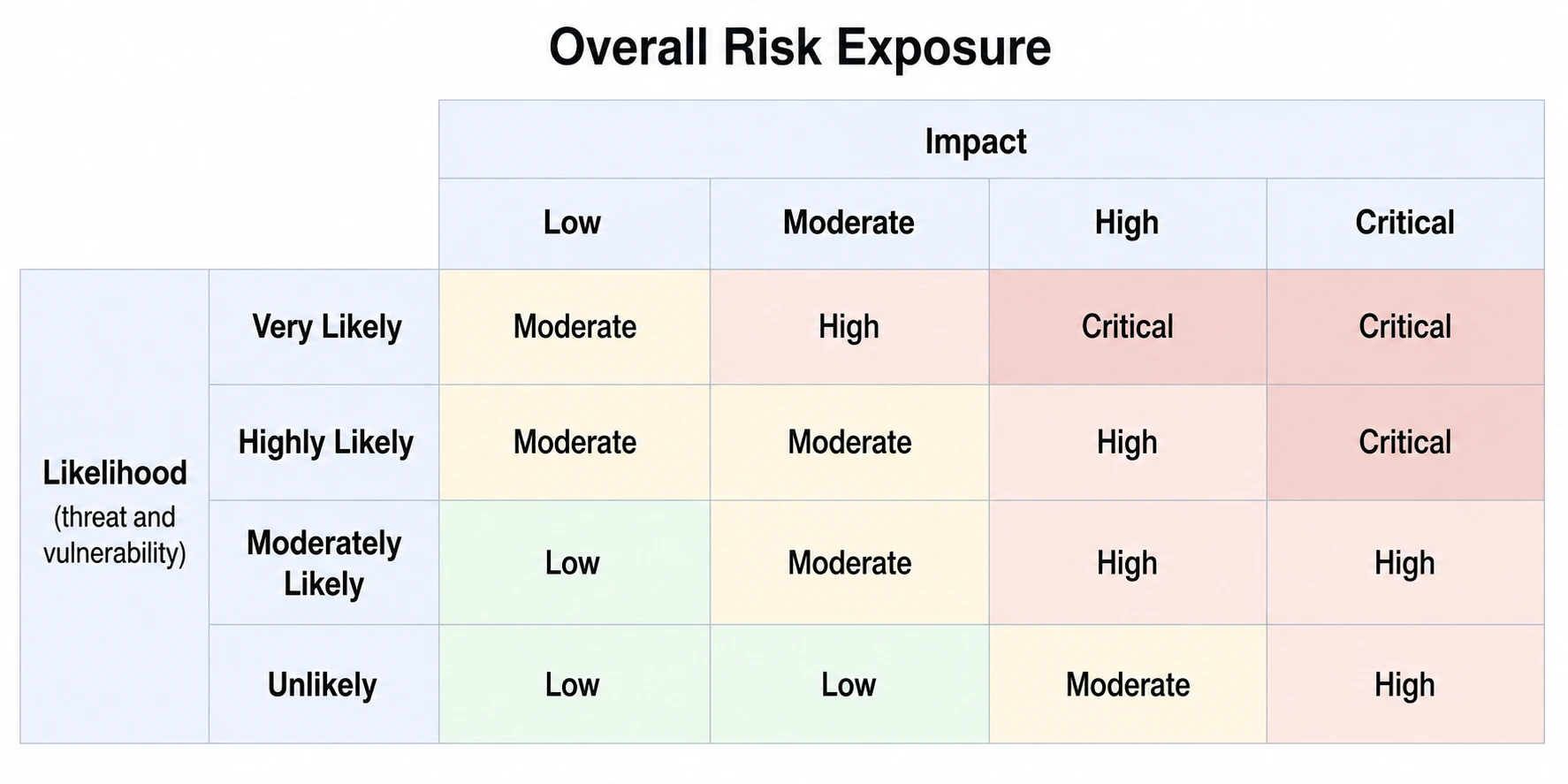
| Likelihood / Impact | Low | Moderate | High | Critical |
|---|---|---|---|---|
| Very Likely | Moderate | High | Critical | Critical |
| Highly Likely | Moderate | Moderate | High | Critical |
| Moderately Likely | Low | Moderate | High | High |
| Unlikely | Low | Low | Moderate | High |
The tables reproduce the example mappings in Figures 11 and 12, printed page 227, of NIST SP 800-161 Rev. 1, Update 1. Read the category names as part of that defined scale, rather than as calibrated probabilities.
Use the result in a decision
Explain the scenario, evidence and assumptions behind each input. Compare the result with the organisation's appetite and tolerance, then document the response and any follow-up required. Different vulnerabilities or dependent scenarios may require separate assessment before considering their combined implications.
In CSFaaS, check the configured threat/vulnerability-to-likelihood mapping and the likelihood/impact-to-exposure mapping before entering ratings. Record inherent, current and target assessments according to their different assumptions. An unset rating is missing information, and a target rating describes a planned future condition rather than an achieved reduction.