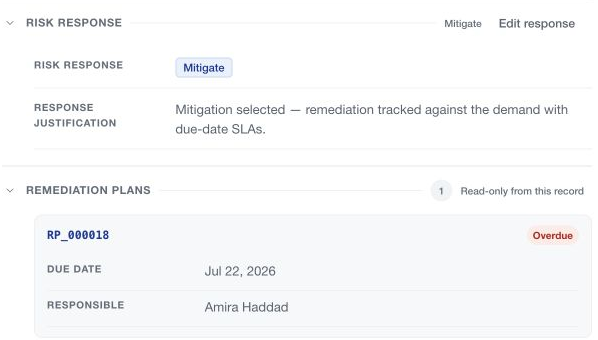
Remediation plans describe the delivery work for a risk whose response is Mitigate. Open the risk within its demand and review its Remediation plans section.
Create a plan
Use Add remediation plan only when ready to create the record. In the current inline editor, this action creates immediately; there is no intervening creation confirmation. CSFaaS assigns the RP reference, and the new plan becomes part of the risk and the central Remediation register.
Creation is subject to your role, record permissions, the risk's status and the plan limit. A risk can carry up to ten remediation plans. A closed or cancelled risk cannot receive new work through this action.
Define the work
Record the description, implementation difficulty, responsible person and implementation challenges. Use the plan's due-date control to set its deadline and review any required justification.
In the inline editor, description editing has its own save behavior when leaving the field; other modified plan details expose Save. Wait for the collaborative description editor to connect before editing. Do not assume a plan's changes are discarded by collapsing its card.
Support and validate delivery
Use the plan's Comments, Evidence, Owners and Due date resources. The responsible person is distinct from additional contributors or owners.
Follow the available completion or validation actions when the work is done. A completed demand can leave remediation work to be delivered and reviewed through the plan's independent lifecycle. Read the central Remediation guides for the full follow-up flow.