

The Evidences library brings together the material you can read across supported source modules. Files and links remain attached to their original records and keep those modules' permission boundaries.
Find an item
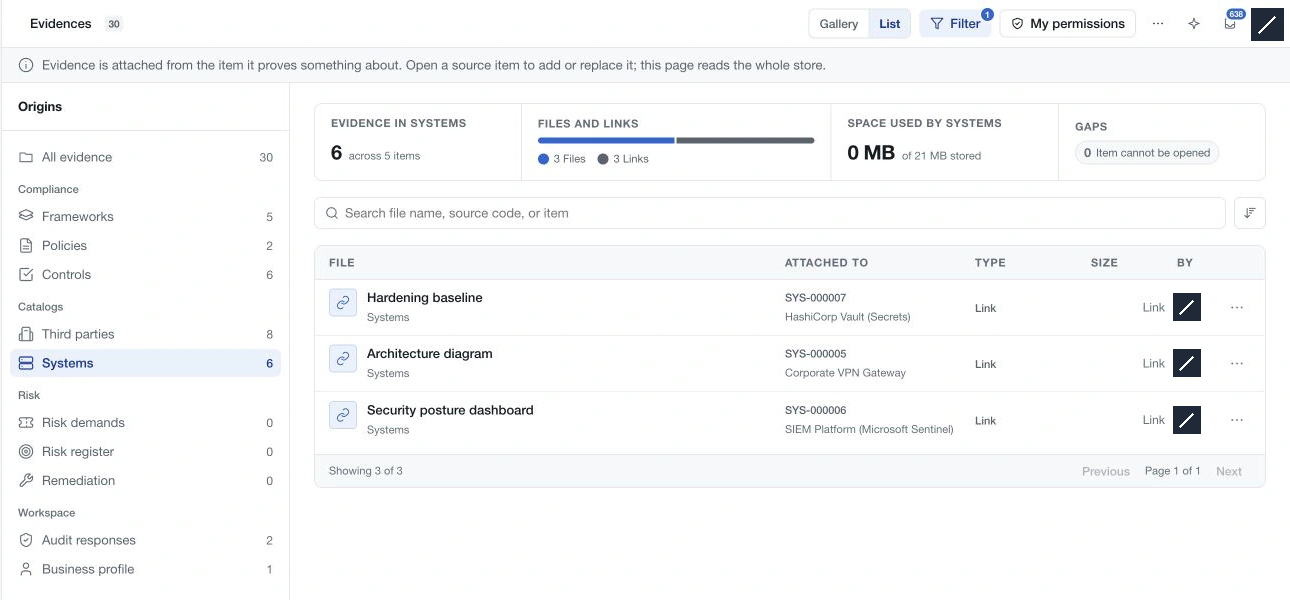
Choose All evidence or an origin in the left index. Switch between Gallery and List, search for the material, and use the available sort control to change the displayed order. The list is paginated; check the current page and result count before concluding that an item is missing.
Filter offers type, added-by, date, file-size and source-availability criteria. Type and people selections can include multiple values. Read the period and size labels when selecting ranges. A file-size filter excludes links because links have no stored file size.
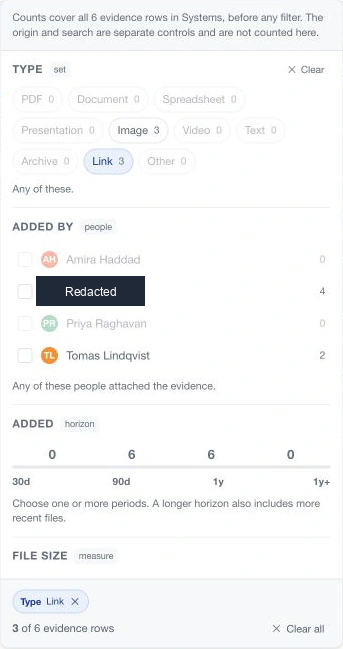
Option counts describe the selected origin's population before the active filters. The result count describes the matching set. Workspace storage remains a workspace measure and does not shrink when you filter the evidence list.
Inspect provenance
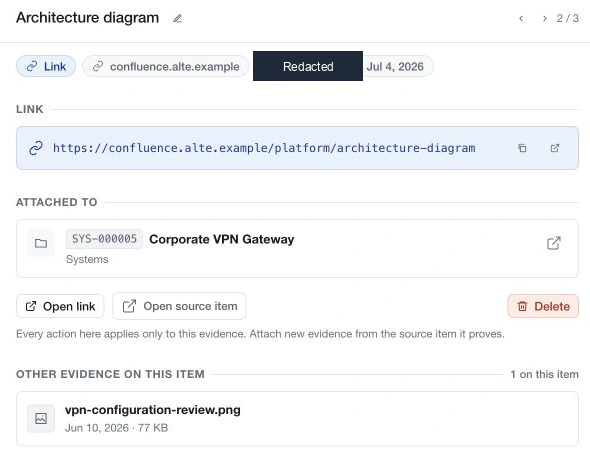
Select an item to read its name, type, author and date. Files offer preview or download/open actions as supported by their format; links show their destination and an open action. Open source item returns to the associated record, including version and item context where applicable.
Use previous and next navigation to move through the current results. Other evidence on this item helps you inspect supporting material on the same source without returning to the full list.
An unavailable source does not necessarily mean the attachment is absent. The original item may have been removed or may be outside your access. A source-loading error is also different from a confirmed unavailable source. Read the displayed state and retry a failed load before making a retention decision.
Permissions and maintenance
Open My permissions to inspect Read, Attach, Rename and Delete rights by source area. Evidence does not grant additional access to its source or to an external link's destination. Some library statistics are withheld when your access would make a workspace total incomplete.
Renaming changes the evidence's display name. Deletion applies to the selected attachment and can remove its stored file; verify the name and source before confirming. Read any failure message and refresh to check the resulting state rather than assuming a partial operation succeeded.
Storage
The workspace storage control shows current usage, allowance and distribution. Uploaded files use storage; saved links do not use file storage. Use the current workspace configuration and subscription information for capacity decisions. The central library is a review and maintenance surface; attach new material from its source record.