

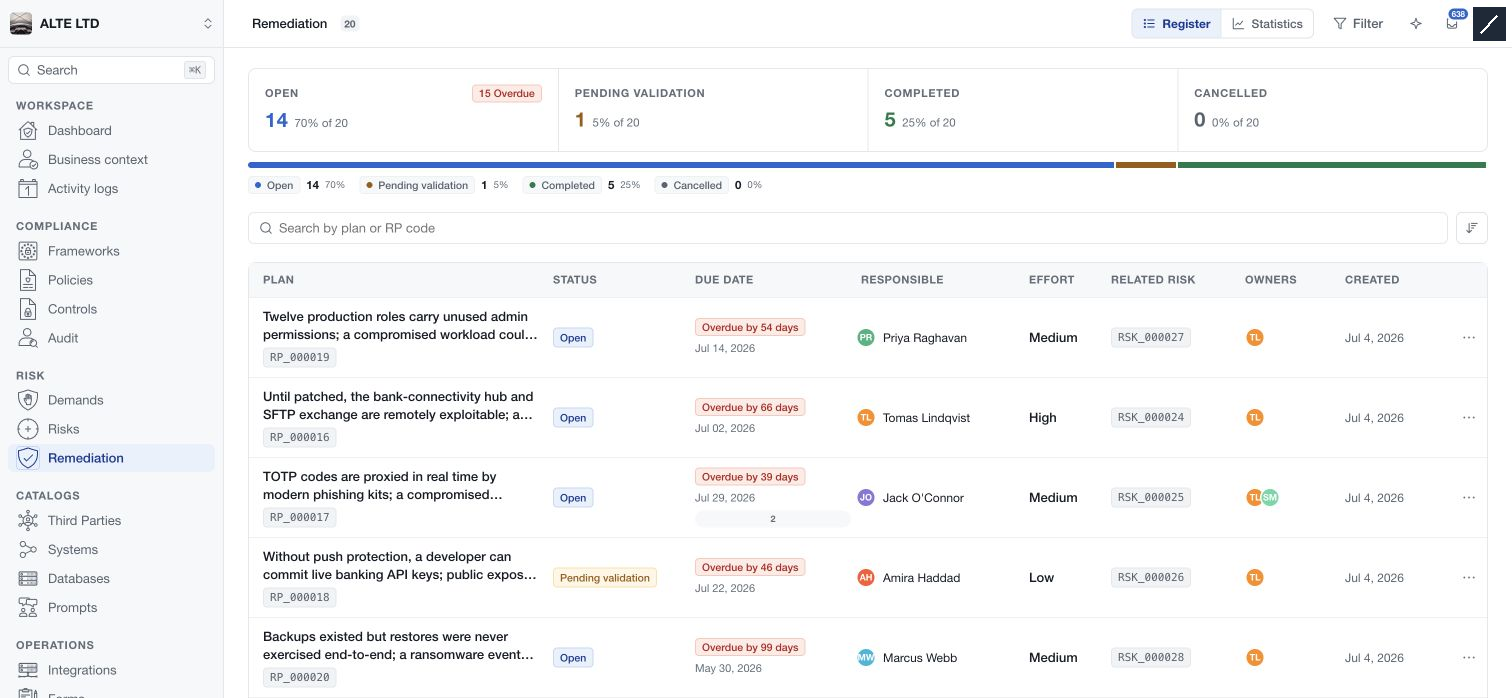
Open Remediation under Risk to track plans created on risk assessments. The register shows each RP reference, status, due date, responsible person, effort, related risk, owners and creation date. Select a row to read the plan beside the list.
Maintain the plan
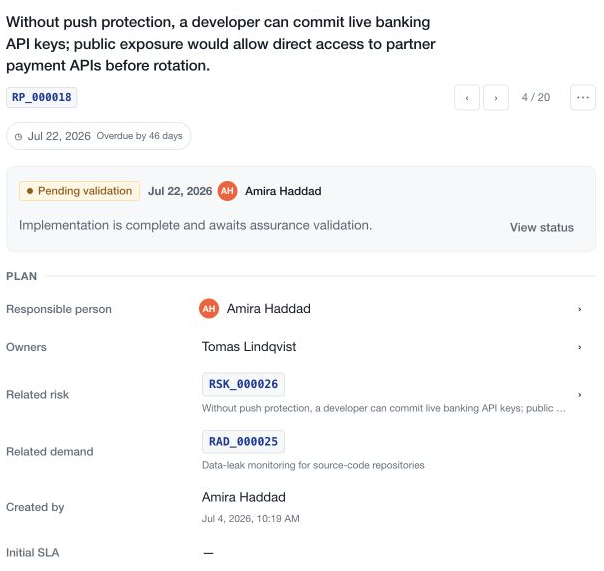
The detail provides Plan, Description, Implementation challenges, Owners and Due date sections. Use their edit actions to update authorised fields, and follow the save feedback for each editor.
Assign one responsible person for delivery. Additional owners can contribute comments and evidence according to their access; assigning ownership alone does not grant management of the plan's lifecycle.
Manage the deadline
Open the due-date indicator or Change due date. The first date can be recorded without a reason; changing an existing date requires a justification. Review the initial SLA where applicable, save the change and inspect the due-date history.
A plan is overdue when its due date is past and it remains open or pending validation. Completed and cancelled plans are excluded from that overdue condition.
Complete and validate
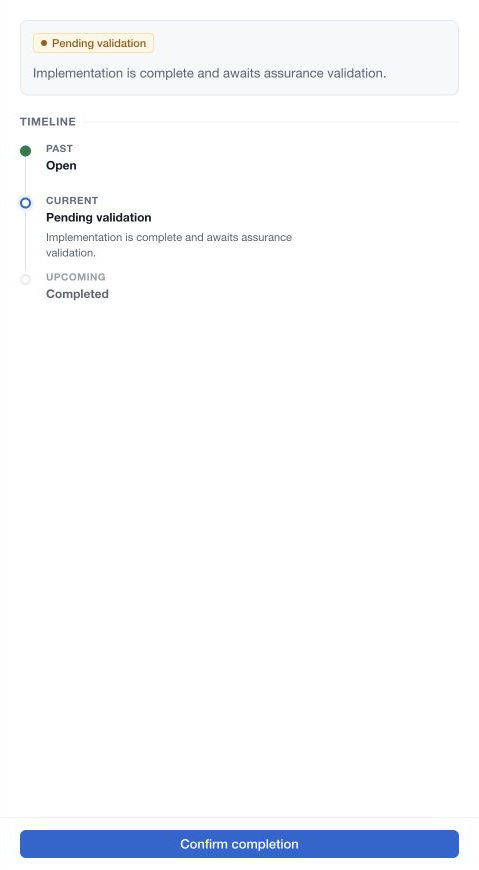
Choose View status to inspect the current stage. An authorised risk-demand manager can send an open plan for completion or validation once a responsible person is assigned. Review the inline Confirm status change message and choose Continue only when ready.
With an enforced review process, the plan moves to Pending validation. Assurance reviewers perform the validation when Assurance is enforced; otherwise the permitted analyst management role validates it. Without review enforcement, completion can proceed directly.
Reopen or delete
A completed plan is read-only. Reopening requires workspace-administration authority, and it must be reopened before deletion is permitted. Deletion confirms the exact RP reference and removes the plan; retained activity records are separate from the active plan.
Completing the parent demand and completing its remediation plans remain independent decisions.