

Risk assessment begins with a Risk Assessment Demand: the request that frames what needs to be assessed and carries the whole assessment through to completion. Creating one takes seconds; the demand then grows on its own page.
1. Create the demand
- Open the Risk Demands module and click the New Demand button.
- In the "New Risk Assessment Demand" drawer, answer one question: What do you need assessed? Give the demand a clear title.
- Click Create demand.
One title is all it takes: the demand opens as a Draft page that you complete at your own pace. Nobody is alerted while you are drafting, and the drawer itself previews what happens next in your workspace's workflow.
2. Complete the draft
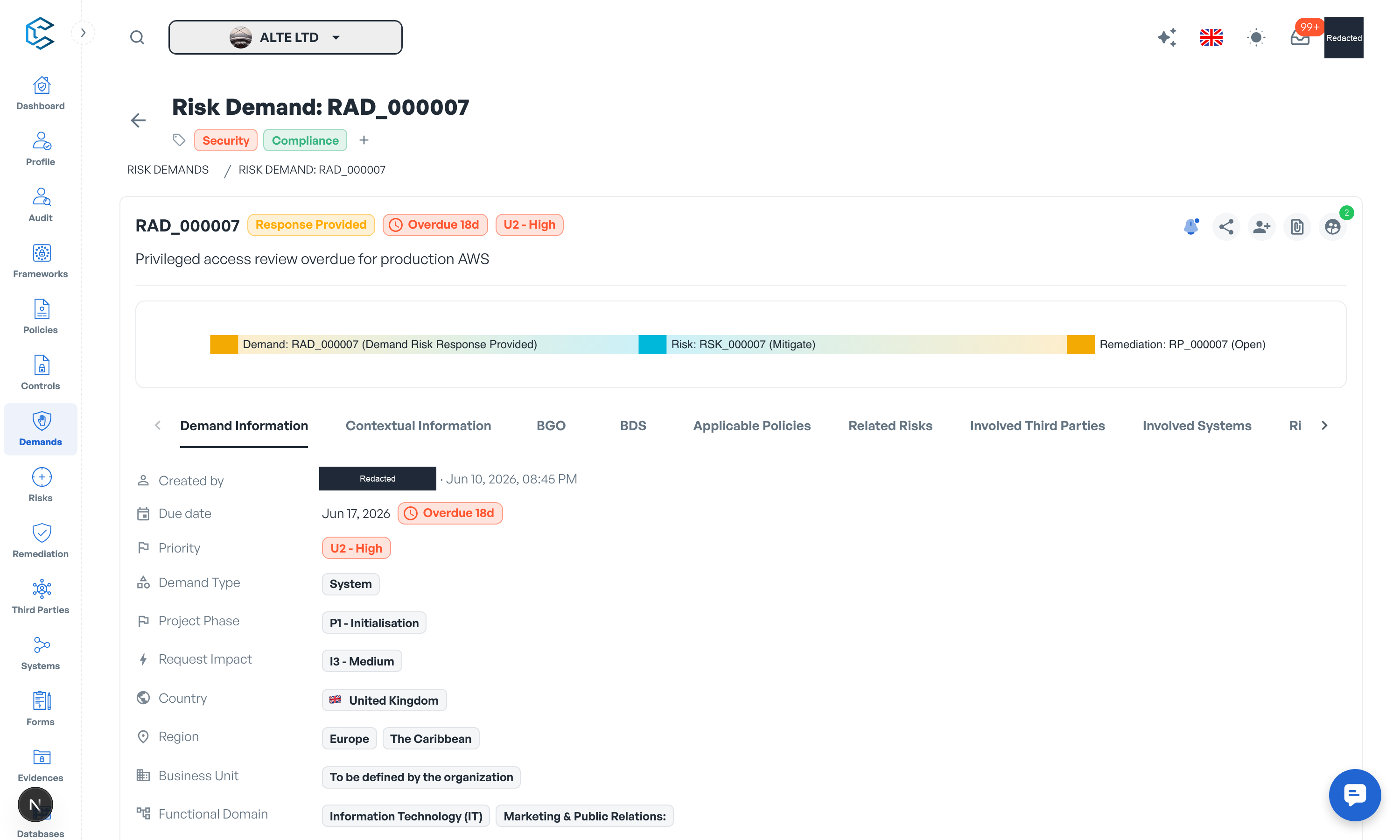
On the demand page, fill in the Demand Information section:
- Demand Title and Demand Description
- Demand Type: Classic, System or Third Party
- Project Phase and Request Impact
- Country, Region, Business Unit and Functional Domain
- Data Classification and Data State
- PII and PHI: whether personally identifiable or protected health information is involved
Two metadata rows sit alongside the form: Due date (with an SLA countdown once set; your workspace can pre-fill it from the priority's default SLA) and Priority. You can also add tags, attach evidences such as network diagrams or process documentation, and complete the business context sections described in the next chapter.
Your page-level edits are saved through the save bar that appears at the bottom of the screen whenever you have unsaved changes.
3. Submit for Review
When the draft says what you need, open the Demand Status drawer from the status chip and click Submit for Review, then confirm. The status becomes Awaiting Acceptance, and the risk team is alerted and triages the demand from there.
Note: Drafts are private working documents in spirit: they cannot be completed and cannot receive risks. As the requester you can keep refining your own demand throughout the intake, and you can withdraw your own draft if it is no longer needed.
Privacy note. Personal details in this revision have been removed, masked or replaced for privacy. The original is retained privately.