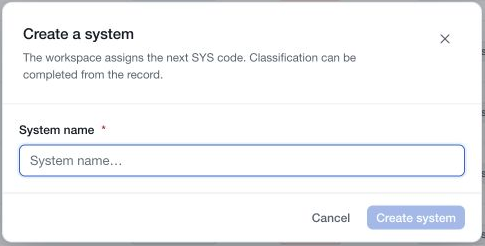
Create a record when you need a maintained description of a component within your inventory scope. Start with a clear name, then complete its classification and supporting information.
Add the record
- Confirm the selected workspace and open Systems.
- Choose Add system in the page header.
- Enter the System name in the Create a system dialog.
- Choose Create system.
- Wait for the result and verify the new record in the register.
The workspace assigns the SYS code. Use a name that distinguishes the system's purpose or boundary, such as “Customer support portal”, rather than relying only on a technology or supplier name.
Creation requires suitable System Management access and available workspace capacity. If the action is refused, resolve the explanation shown before trying again. Cancelling the creation dialog leaves the inventory unchanged.
Document it progressively
Open the new record and complete its Context, Architecture, Data held and Recovery sections where applicable. Record operational contacts and assign accountable workspace owners. Use Complementary information to explain scope and interfaces.
Choose Done in each section editor to retain pending edits, then save them through the page's save bar. A record that has been created is already stored; discarding later classification edits does not undo its creation.
Link relevant third parties and completed assessments through their dedicated actions. Add evidence and a record-review schedule when appropriate. Verify each separate action's result rather than assuming that it is included in the classification save.
A name and SYS code establish an inventory entry. They do not mean that the system is fully documented or risk-assessed.