

The Third Parties page combines a workspace register, the selected record and a supporting record panel. Use it to move from a portfolio view to the evidence behind one relationship.
Register and navigation
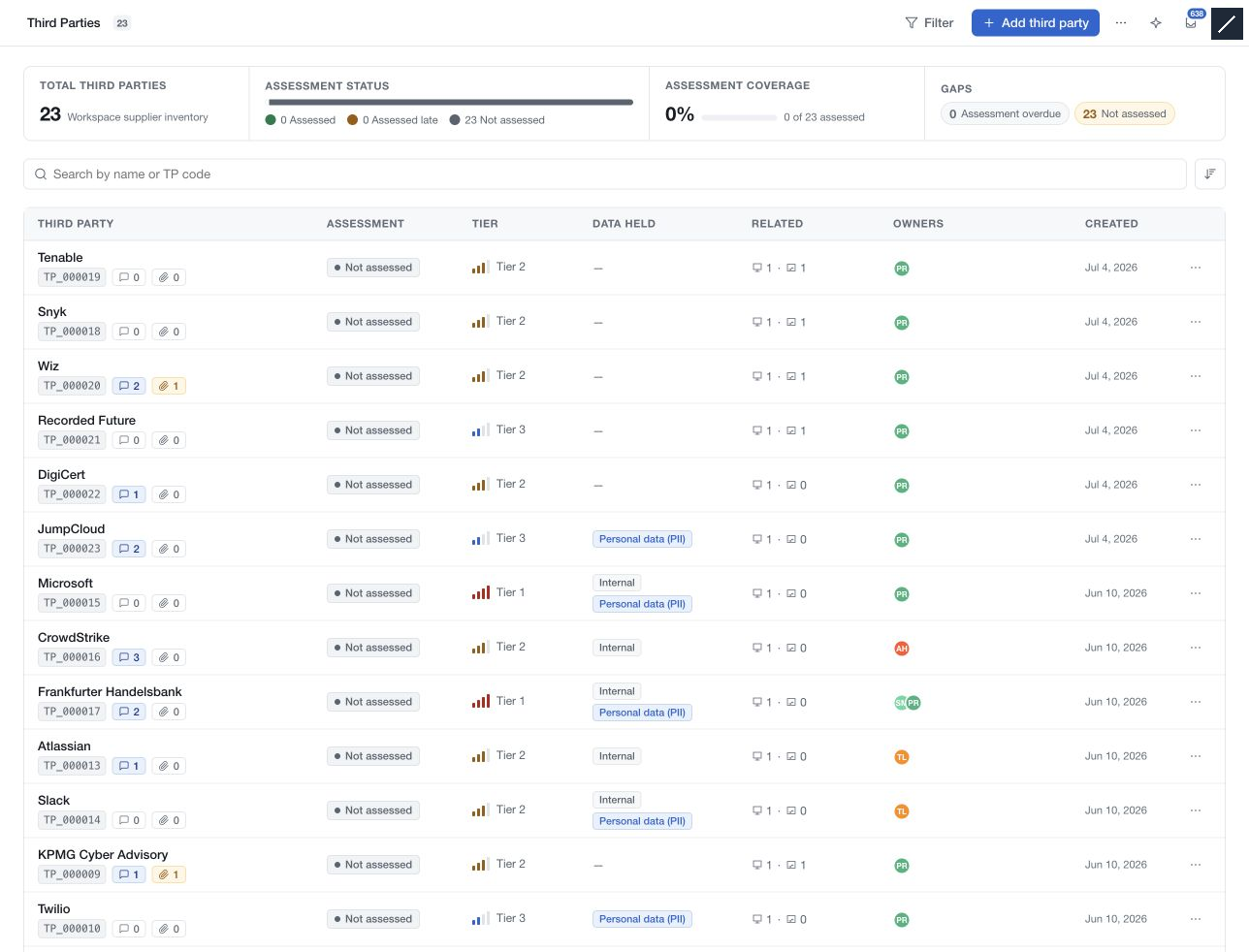
The overview summarises assessment coverage and records that need attention. The table shows third-party identity, assessment status, tier, data held, related records, owners and creation information. Counts reflect the records available to your account and the current view.
Search by name or TP code. Use the sort control for recent records, alphabetical order or code order. Filter offers the All, Not assessed and Assessment overdue views, together with classification filters.
Select a row to open its record. The list becomes compact, retaining enough identity and status information to select another third party. Hide list and Hide record panel control the surrounding panels. Previous and next record controls follow the available list.
Read a third-party record
The record begins with assessment state, tier and the analysis of record. Its sections cover Identity and contact, Classification, Data held, Linked systems, Scoped risk demands, Forms sent and Notes.
Use the labelled action beside a section to edit or manage it. Ordinary section edits are saved through the page save bar; relationship and assessment controls have their own save or confirmation actions.
Supporting information
The record panel contains owners and review information, together with Activity, Comments, Evidence and Reviews tabs. Open the relevant section to inspect the underlying entries rather than treating a summary count as the whole record.
Comments explain decisions, evidence supports them, and review history records when the information was checked. None of these automatically replaces the formal assessment linked through Manage assessments.