

Create a record for the organisation or business relationship you intend to manage. Search the register first so that the same relationship is not accidentally split across several records.
Create the record
- Open Third Parties in the correct workspace.
- Choose Add third party.
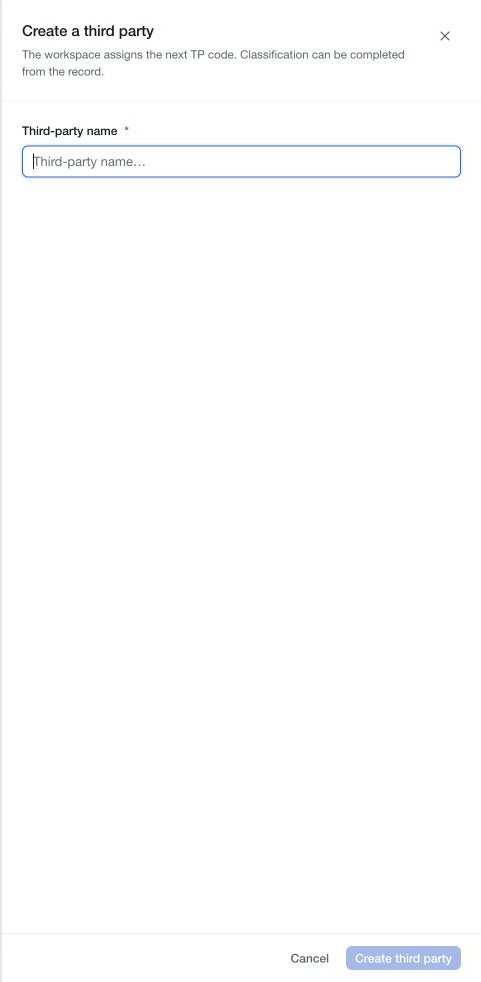
- Enter the Third-party name in the creation drawer.
- Choose Create third party.
- Confirm that the new record opens and note its TP code.
Creation starts a named record. It does not complete classification, send a questionnaire, link a risk assessment or establish approval of the relationship. If creation fails, resolve the reported error before trying again and check the register for the intended name.
Complete the initial record
Document the relationship's purpose, parent company and appropriate contacts under Identity and contact. Assign owners, choose the relevant classification and describe the information held. Link the systems that rely on this third party where you have permission.
Use Edit beside a section, then Done to retain its changes in the page draft. Save the draft with the page save bar and verify the refreshed values. Manage owners, relationships and assessments through their separate controls.
Select a tier using your organisation's criteria. Do not infer a supplier's tier or acceptability solely from its size, reputation or an existing demo record.
The creation control is available only when your workspace access permits it. Ask a workspace administrator to review your assigned roles if you can read the register but cannot add records.