

Categories and subcategories group related policy content and controls. Use the smallest hierarchy that keeps the policy readable and supports clear ownership and assessment.
Add a child element
Select the intended parent and choose Add element. The drawer shows the supported element types, proposed location and internal-reference preview. Enter the display code, name and description and choose Add.
A policy can contain categories. Within the supported child levels, use subcategories to group more detailed subjects and controls for actionable measures. Review the parent before creation rather than relying on the last selected tree position.
Maintain the structure
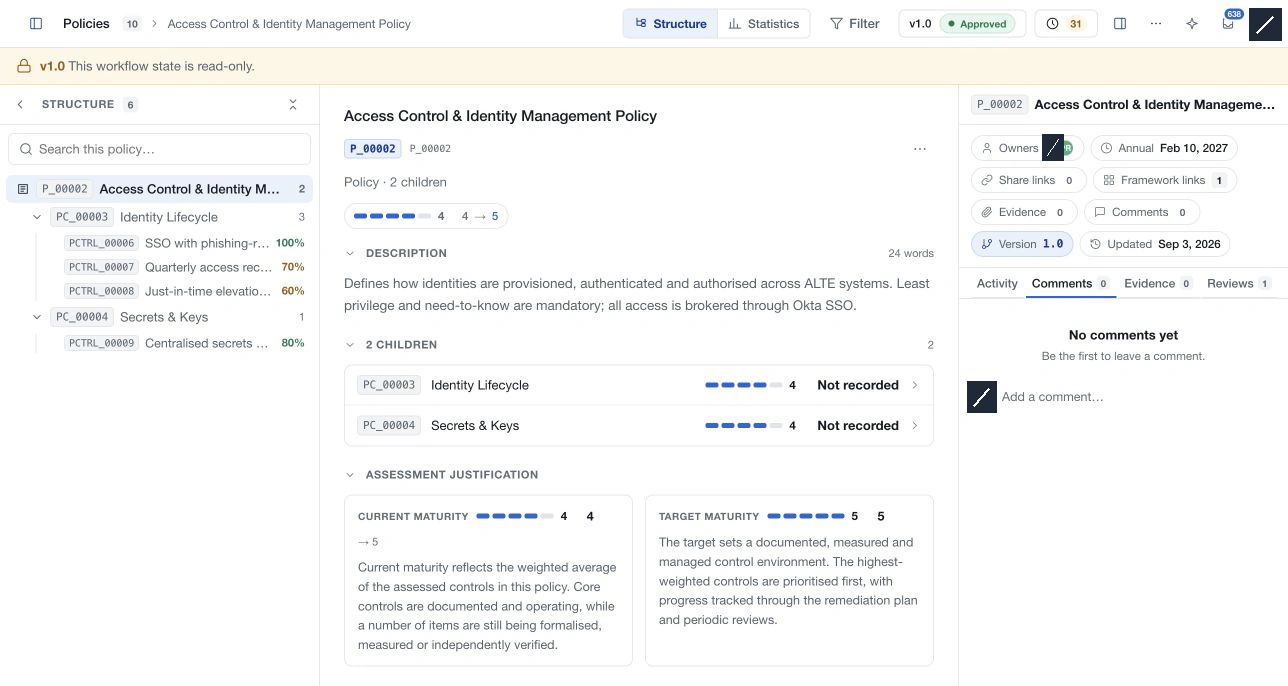
Select an element to read its description, children, owners and supporting information. Use Edit details for its code, name and content. The fixed registered reference remains distinct from the editable display code.
Use available reorganisation controls to move or reorder elements within the supported hierarchy. Invalid depth or destination changes are rejected. Resolve pending changes first. A structure move saves immediately; inspect the destination after it finishes.
Assign and assess
Use the available owner and review controls to keep responsibilities current. Retain evidence and comments where confidential-details access permits them.
Framework links on categories and subcategories organise reference relationships. Only policy-control links contribute to compliance mapping. Statistics derive category results from the underlying controls, so inspect those controls when explaining a reported average.
Delete a branch
Use the element's options and deletion confirmation only when the content is no longer needed. Removing a category or subcategory also affects its contained items as described by the confirmation. Move an element when it remains useful elsewhere instead of recreating and deleting it unnecessarily.