

The Controls register provides three views of policy controls. Each record remains part of its policy version, so the view and version determine which controls you are reading and whether you can edit them.
Select a view
| View | Scope |
|---|---|
| All controls | Controls belonging to current editable policy versions |
| By policy | Controls in the policy and version you select |
| By framework | Controls associated with the framework version you select |
In a source-specific view, select the policy or framework first, then check Version. An approved or historical source may be immutable. Open current version returns to the current source when offered; it does not change the historical record.
Read the register
The summary reports visible controls, implementation progress and gaps. Rows show the control's name and registered reference, its position in the policy hierarchy, version, completion, maturity, weight, framework links, owners and updated date.
Select a control to open its detail beside the compact list. Resource badges open comments, evidence, owners, reviews or relationships for that record.
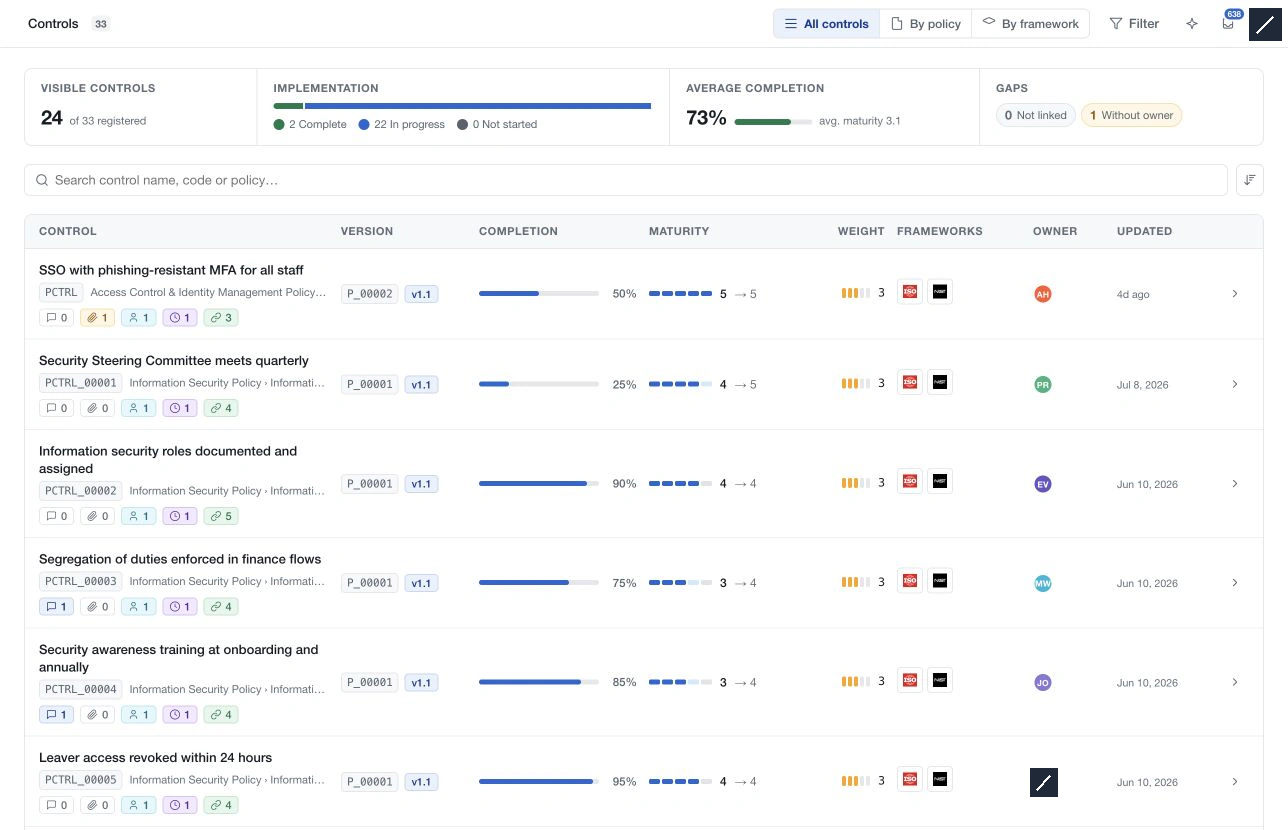
Search and filter
Use Search controls for text and Filter for completion bands, current or target maturity, weighting, policy, owner, framework-link state and catalog attributes. Numeric grids let you select a band or range; catalog groups support multiple values.
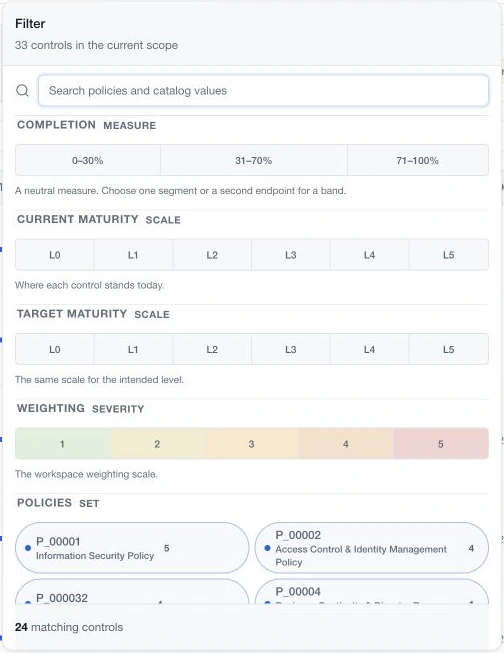
Filters apply to the selected view. Clear them when broadening your review, and clear the search separately if you also want to remove its text restriction. A visible count below the registered total does not by itself mean data is missing.