

You can open the same policy control through its policy tree or the Controls register. Both routes retain the control's policy and version context, but arrange its editing tools differently.
Work within a policy
Open Policies, select the version and choose the control in the tree. Definition contains its identity and description. Evaluation contains weighting, maturity and completion. Attributes contains structured catalog selections.
Use the relevant edit action and save the changes. Catalog attributes have their own save and cancel actions when modified. Check the page's pending-change state before leaving; closing an editor is not proof that a draft was discarded.
Work across policies
Open Controls, choose the appropriate view and select a row. Its detail provides definition, owners, framework links, implementation progress, maturity, weighting and properties. Use the corresponding edit button and Save changes.
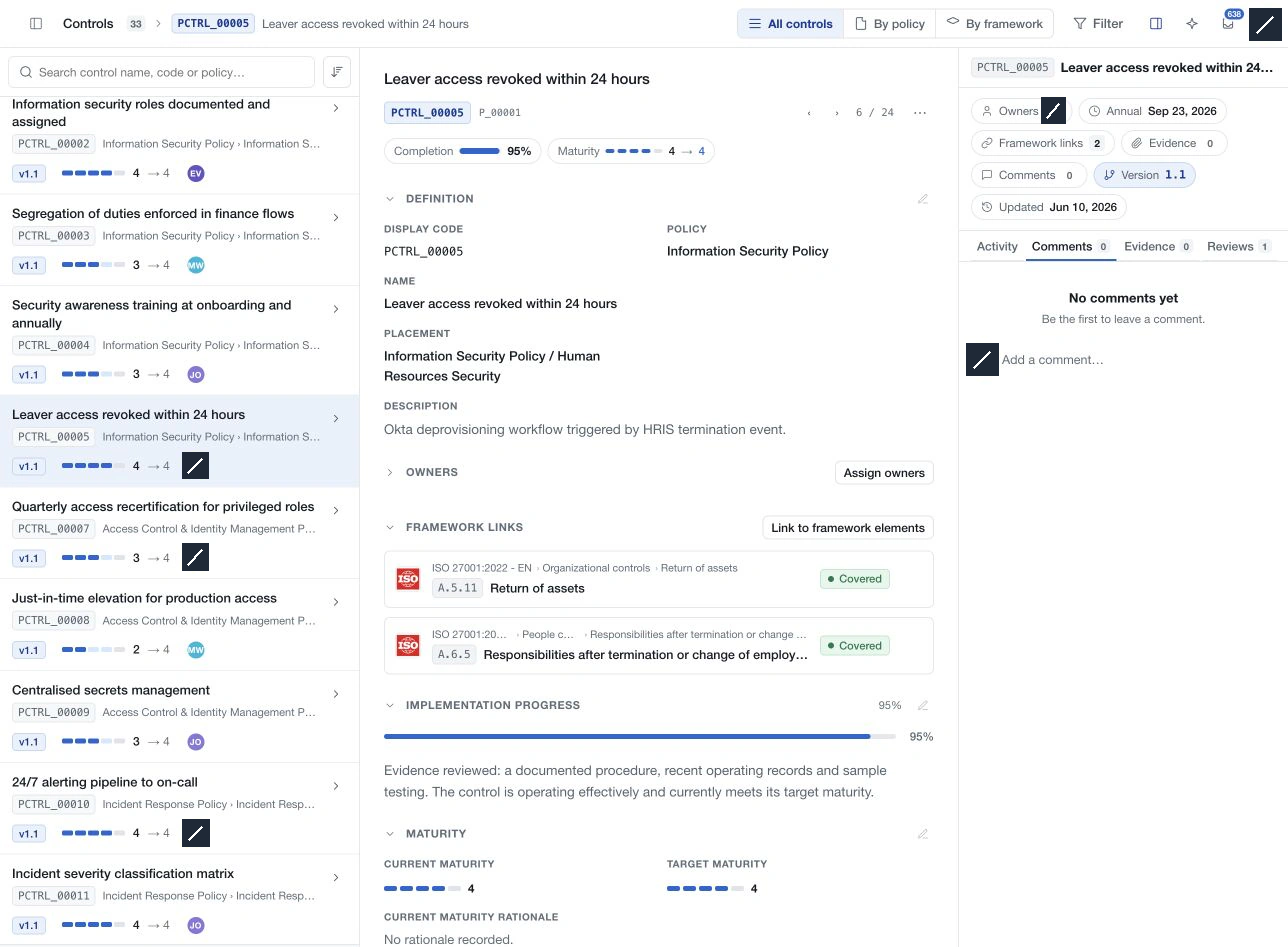
In the register's section editors, Cancel restores the values from when that editor was opened. Closing the drawer can leave a pending draft, so use the explicit cancel or discard action when abandoning changes.
Respect the selected version
Approved and historical versions may be immutable. Use the current editable policy version for authorised changes. A record displayed in a historical view must not be interpreted as the latest assessment solely because it has the same registered code.
For catalog classification, use the policy control's Attributes tab. The register's raw Control properties object is a separate editor.