

Customising your control catalogues aligns the vocabulary of your controls (their attributes, units and scales) with your organisation's structure. Catalogues ship with sensible defaults based on ISO and NIST references, and everything can be adapted to your environment.
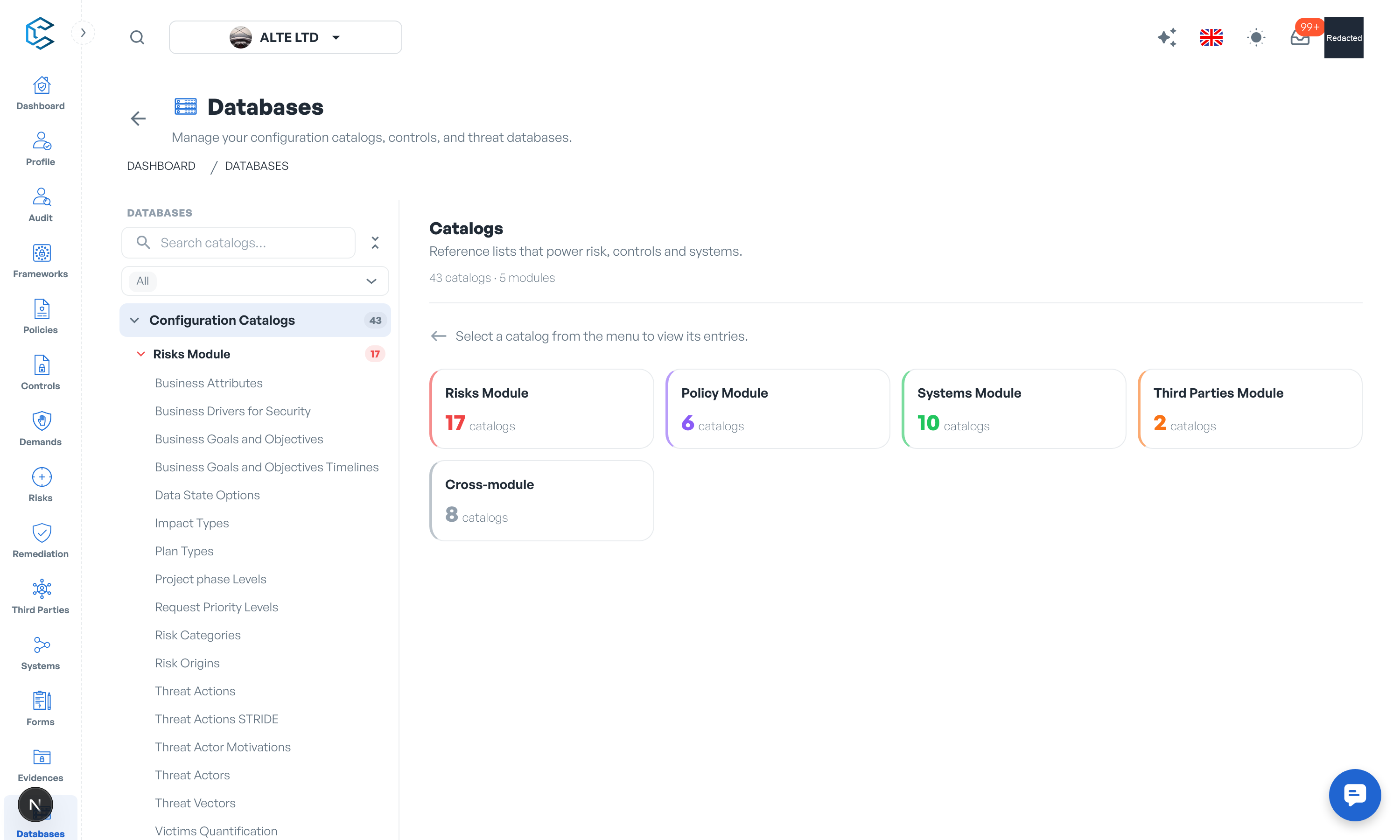
1. Where Catalogues Live
Open the Databases module and select the Configuration Catalogs tab. The catalogues are grouped by module (cross-module ones plus the Policy, Risks, Systems and Third Parties modules); select a catalogue to view its entries and open its editor.
Note: editing catalogues requires the Catalog Management permission; workspace owners and Account Managers can always edit. Other members see the catalogues read-only.
2. Organisation-Wide Catalogues
- Business Units: the operational divisions of your organisation, used to assign controls to the right teams.
- Functional Domains: the key areas of business operations, used to map controls to the parts of the business they protect.
Configure these early: they are shared across modules and drive most organisational reporting.
3. Control Classification Catalogues
These catalogues feed the Attributes tab of every control. They follow ISO 27001 and NIST conventions by default:
- Information Security Properties: confidentiality, integrity and availability attributes for classifying what each control protects.
- Control Function: the NIST-style functions (Govern, Identify, Protect, Detect, Respond, Recover).
- Privacy Control Function: the NIST privacy functions (Identify-P, Govern-P, Control-P, Communicate-P, Protect-P).
- Security Domains: the ISO security domains (Governance and Ecosystem, Protection, Defence, Resilience).
- Control Type: Preventive, Detective, Corrective.
- Operational Capabilities: the ISO operational capabilities (governance, asset management, information protection and so on).
- Control Category: Organisational, People, Physical, Technical.
- Security Control Baseline: baseline levels for prioritising control sets.
4. Weighting Levels
The Weighting Levels catalogue defines the weighting scale used across frameworks and policies. Choose a scale of 3, 5 or 10 levels, then give each level a label (for example Critical) and a description. Changing the scale keeps existing labels; reducing it removes the highest levels. The scale you set here is what members pick from whenever they weight a framework element or a control.
Privacy note. Personal details in this revision have been removed, masked or replaced for privacy. The original is retained privately.