

1. Managing risk assessment demands
Managing risk assessment demands in CSFaaS follows a structured workflow that ensures consistency, accountability and proper tracking, from the first draft to the completed assessment.
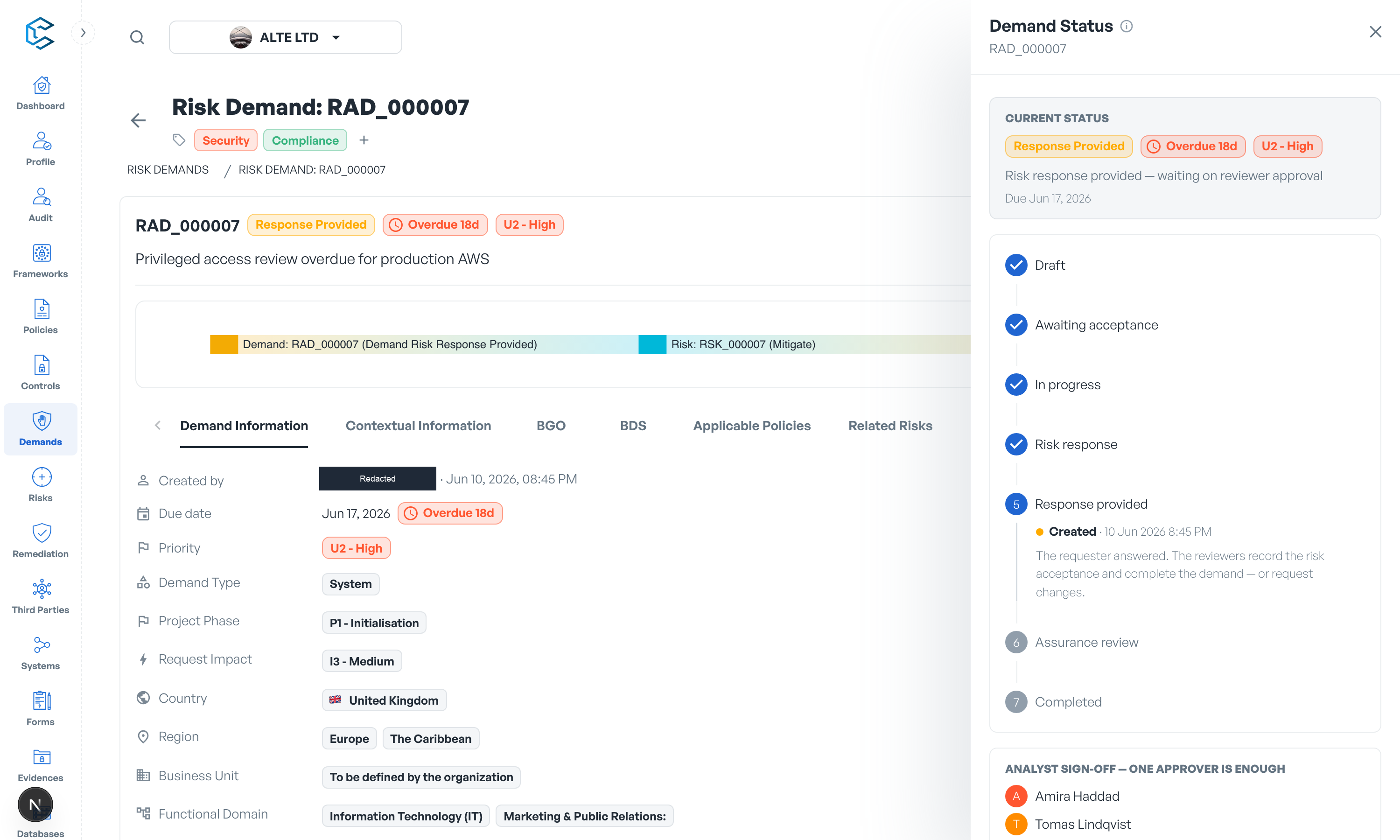
Every demand starts as a Draft: the requester writes it up at their own pace and nobody is alerted. When the requester clicks Submit for Review, the risk team is notified and the demand enters the workflow. From there, how strictly the demand is controlled depends on the review process configured for your workspace.
2. The Demand Status drawer
The status chip on a demand's header opens the Demand Status drawer, the single control surface for the workflow. It shows:
- the current status of the demand,
- a timeline of every stage the demand has been through, with each visit dated and attributed to the person who made the change,
- the available actions for your role at the current stage, each explained by a tooltip.
Every action that changes the status asks for confirmation first, and several (such as rejecting a demand or requesting changes) require a written justification that stays visible on the demand.
3. Review processes
This section covers the three ways a workspace can run demands:
- Demand process without workflow enforced: a direct process where anyone with Risk Management access can pick up and complete demands.
- Demand process with workflow enforced: an Analyst triages and assesses each demand, the requester provides the risk response, and an optional Assurance reviewer holds the final gate.
- Workflow configuration: how to choose the review process, assign the Analyst and Assurance roles, and set validation modes in your workspace settings.
Understanding this workflow helps you navigate demand management efficiently and ensures risk assessments are handled according to best practice.
Privacy note. Personal details in this revision have been removed, masked or replaced for privacy. The original is retained privately.