

Open Settings → Risk demands to choose the demand review process, its reviewer roles, additional notification recipients and priority SLAs.
Choose the review flow
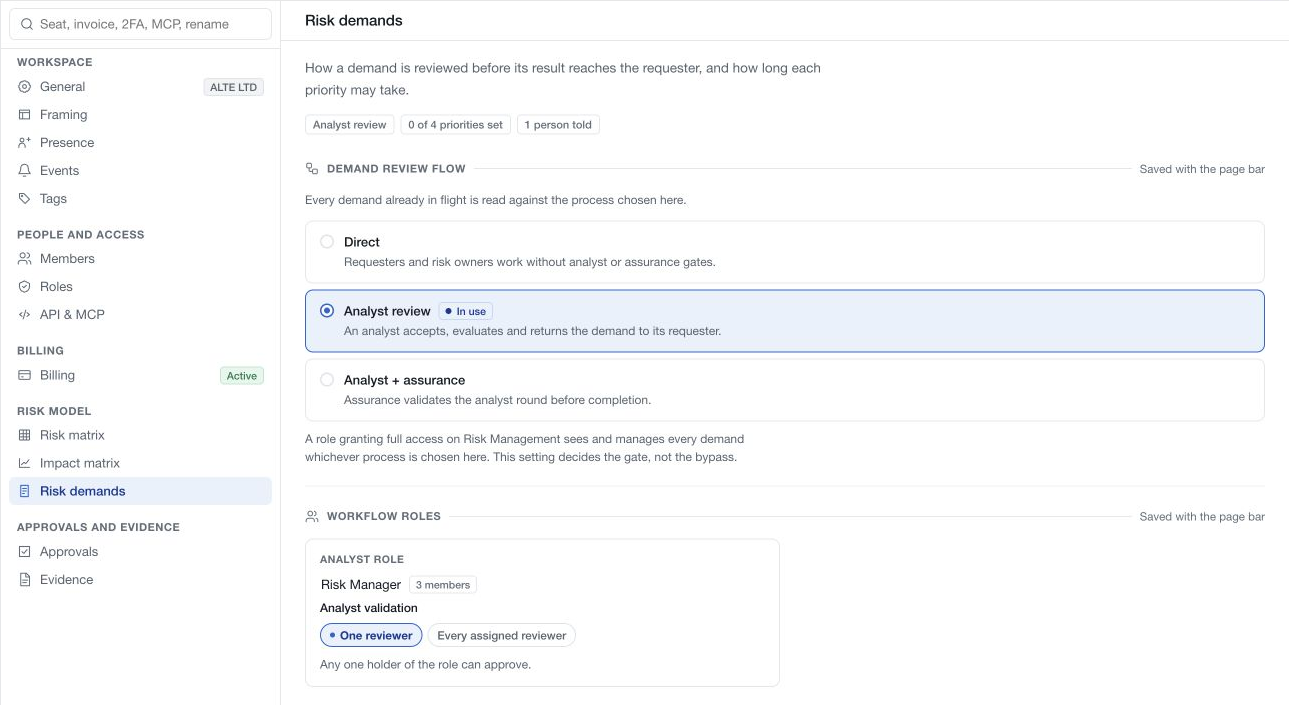
| Flow | Review structure |
|---|---|
| Direct | Requesters and risk owners work without analyst or assurance gates |
| Analyst review | An analyst reviews and evaluates the demand before returning the result to the requester |
| Analyst + assurance | Assurance validates the analyst round before completion |
Existing demands are read against the configured process, so review work already in progress before changing it. This choice configures workflow gates. It does not remove access granted by a member's role.
Assign workflow roles
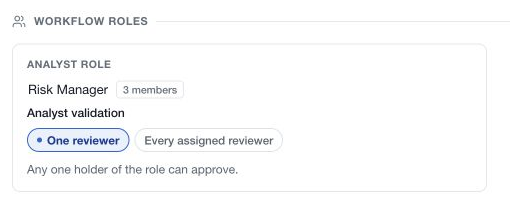
Choose the workspace role that performs the analyst duty and, when the process requires it, the assurance duty. These are assignments to existing roles; they do not create new roles automatically.
Check the member count beside each role. A gate without eligible reviewers cannot provide the intended review. Manage role membership in Settings → Members and permissions in Settings → Roles.
For each available gate, choose One reviewer or Every assigned reviewer according to the team's governance process. Inspect the available reviewers before requiring multiple approvals.
An approval round records its validation mode when that round starts. Changing the setting does not rewrite the mode of a round already in progress. Review the demand's current round and eligible actions before assuming a settings change resolves a pending approval.
Review additional recipients
The Creation notifications area selects additional members for demand notifications. The demand workflow's draft stage remains distinct from submission: creating a draft does not announce it to the risk team. Submission triggers the new-demand notification, including the relevant analyst audience and configured recipients.
Read-state changes in the Inbox do not count as workflow approval. Workspace notification policy is configured separately under Events.
Save the configuration
Review the chosen process, roles, validation modes and recipients, then use the page save bar. These changes remain pending until the save succeeds. Resolve an error before assuming the new gates apply.
Review a representative demand afterward and confirm that its displayed workflow matches the intended configuration. Existing member and record permissions continue to apply independently of the review stages.