

Import an available reference to create its structure in your workspace. Confirm the edition and language before starting.
- Open Frameworks in the intended workspace.
- Choose Add framework.
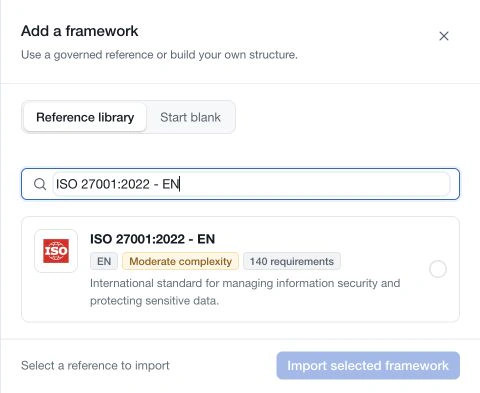
- Select Reference library and search for the reference.
- Review its name, edition, language and structure information.
- Select the entry and choose Import selected framework.
- Wait for the result, then open the added framework and inspect its structure and version.
Large references can take longer to prepare. Keep the import result visible and check the register before retrying a failed or interrupted attempt.
The app identifies a reference that is already present in the workspace. A different language is a different library entry; select it intentionally rather than using it as a workaround for an existing reference.
Prepare the imported assessment
Review the requirement hierarchy and source edition. Assign owners, define applicability and assessment criteria, and decide whether the framework should be available for policy-control linking.
Use Framework settings to maintain the workspace name, description, icon and supported assessment options. These settings use their own Save control.
Importing creates the reference structure. It does not mark requirements implemented, approve a version, create a certification or replace the publisher's source material.
If a workspace limit prevents import, follow the displayed limit guidance. If the edition you need is missing, contact CSFaaS or prepare a clearly identified custom framework.