

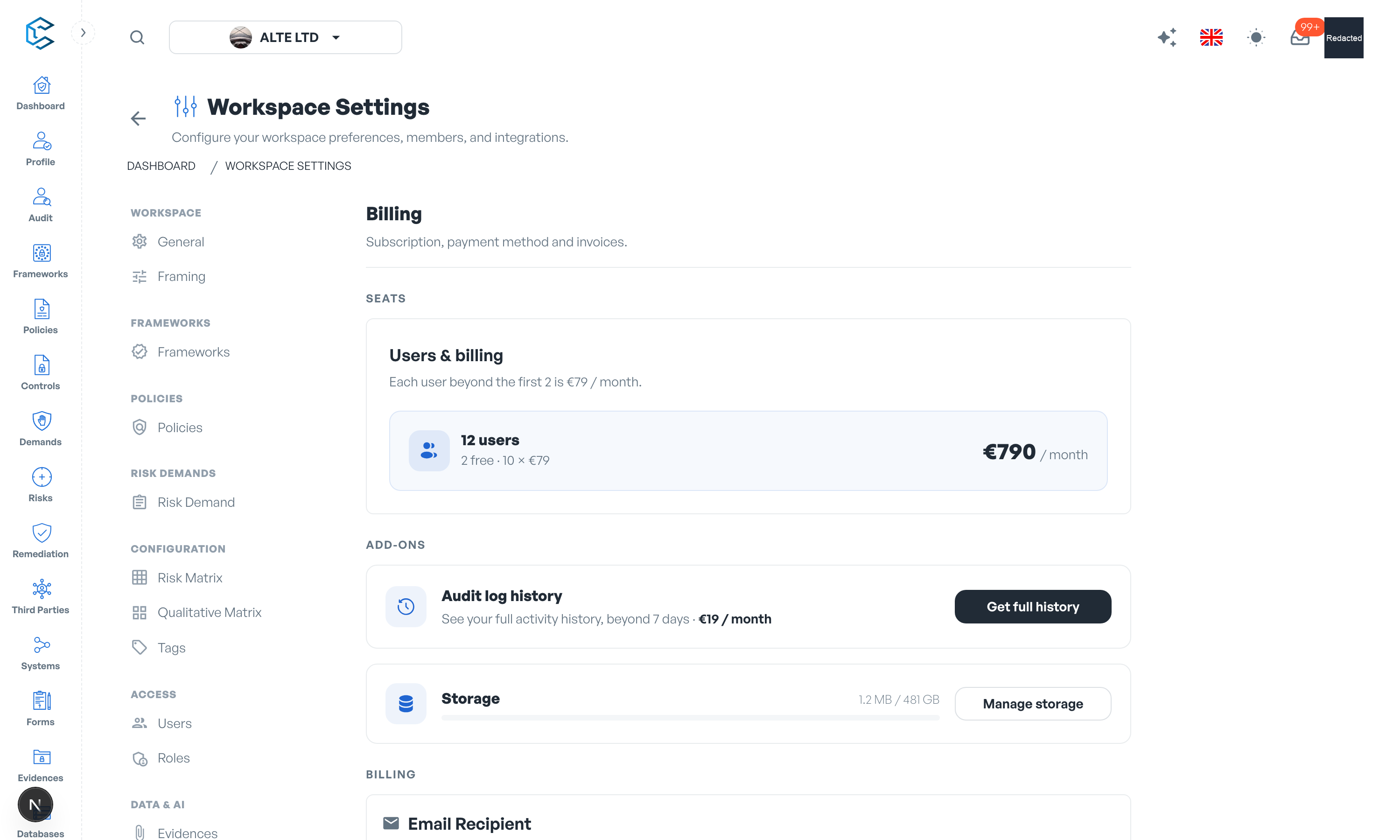
The Billing section of Workspace Settings is where you manage what your workspace costs. CSFaaS uses simple seat-based pricing: every feature is included for everyone, and you only pay for the people who use the platform.
1. How Pricing Works
- Everything included: there are no feature tiers or plans to compare. All modules and capabilities are available to every workspace.
- 2 users free: the first 2 users of a workspace, including the owner, are free. No payment method is needed while you stay within them.
- Pay per additional user: each user beyond the first 2 is 79 euros per user per month, or 790 euros per user per year on annual billing.
- Seats count people, not logins: the seat count is your active members plus pending invitations. Cancelling an invitation frees its seat.
2. The Billing Page
The Billing section is organised in three blocks:
- Seats: the "Users & billing" card shows how many users the workspace has, how many are free, how many are billed and the resulting total. If you are above the free seats without a payment method, a Set up billing action opens the checkout to add one.
- Add-ons: optional extras billed on the same subscription:
- Audit log history: the free tier shows the last 7 days of workspace activity; the add-on unlocks your complete history for 19 euros per month (or 190 euros per year).
- Storage: every workspace includes 5 GB of evidence storage; additional storage costs 0.20 euros per GB per month. The card shows your current usage.
- Billing: the email address that receives billing correspondence (shown once the workspace has a paid subscription) and the list of your invoices, which you can consult and download at any time.
3. Seat Changes and Proration
Billing follows your team automatically:
- Inviting or removing a member adjusts the billed quantity; mid-cycle changes are prorated and settle on your next invoice, with no instant charge.
- Dropping back to 2 users or fewer removes the paid seats; you keep access for the period already paid.
- The first invoice is charged when you set up billing; the billing cycle anchors on that date.
4. If a Payment Fails
A failed payment does not lock your data:
- While the payment is retried, the workspace stays fully usable and a status pill in the header alerts Account Managers ("Your last payment failed. Update your payment method to keep your paid users...").
- If the subscription finally lapses, members beyond the free 2 are suspended: they can no longer access the workspace, but nothing is deleted. The owner is never suspended.
- Suspended members appear in Settings, Users with a "Suspended" status and the note "Deactivated for billing. Access is restored automatically once payment is set up."
- Restoration is automatic: as soon as payment resumes, suspended members regain access. There is nothing to reactivate by hand.
5. Workspace Object Limits
Every CSFaaS module is included, but each workspace has default operational limits on the number of top-level records it can contain. These limits protect service reliability and are separate from seat billing, evidence storage and activity-history retention.
| Workspace object | Default maximum |
|---|---|
| Frameworks | 6 |
| Policies | 30 |
| Third parties | 200 |
| Systems | 200 |
| Forms | 200 |
| Risks | 1,000 |
| Risk demands | 200 |
| Remediation plans | 1,000 |
| Audits | 5 |
How limits are counted
- Limits apply to top-level workspace records. Versions and child elements inside a framework, policy or audit do not each consume an additional object.
- Deleted frameworks, policies and audits do not count toward their limit.
- When a limit is reached, existing data remains available and unchanged. CSFaaS only prevents the creation of another object of that type until capacity is increased or an existing object is removed.
Increase a workspace limit
These are defaults, not fixed plan tiers. We can apply a higher limit—or an unlimited workspace-specific override—to any object type. Contact us and include your workspace name, the object type and the capacity you need.
Privacy note. Personal details in this revision have been removed, masked or replaced for privacy. The original is retained privately.