

Open Settings → Approvals to configure the available framework and policy lifecycle workflows. The current catalogue includes deletion and version approval. Demand review is configured separately in Risk demands.
Choose who approves
For the relevant workflow, select its Approver role and review how many members hold that role. Choose Single when one approval is sufficient, or Multiple when every holder of the role must agree.
Save role and validation changes with the page bar. Check the saved configuration before relying on it. The page flags a required workflow with no approver role or no eligible role holders because the held action cannot complete in that state.
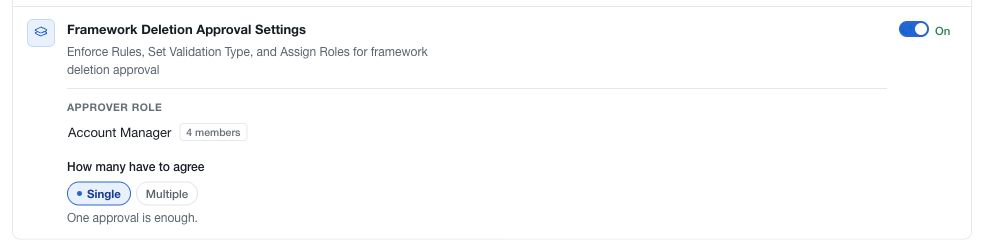
Require approval
The Approval required switch applies immediately. When enabled, the corresponding action is held for the configured review. When disabled, a member with the underlying permission can carry out that action without this approval gate.
The switch and the pending role or validation edits have different save timing. Configure and save the intended reviewers before enabling a gate, and confirm the resulting state afterward.
Review the operational effect
An approval workflow does not grant general edit or delete permission. It adds a review condition to an action that already has its own permission rules. Members and their assigned roles remain managed under Members and Roles.
Check pending requests before changing enforcement or reviewer assignments. Use the relevant framework or policy's request controls to inspect the requested version or deletion and record the decision. Marking its notification as read does not approve it.
This settings page configures the existing workflow definitions. It does not create an arbitrary new approval process for another module.