

Open Settings → Tags to maintain the shared labels used by risk demands and prompts. Each row shows the tag and its recorded usage. The footer summarises how many tags are used and how many have no links.
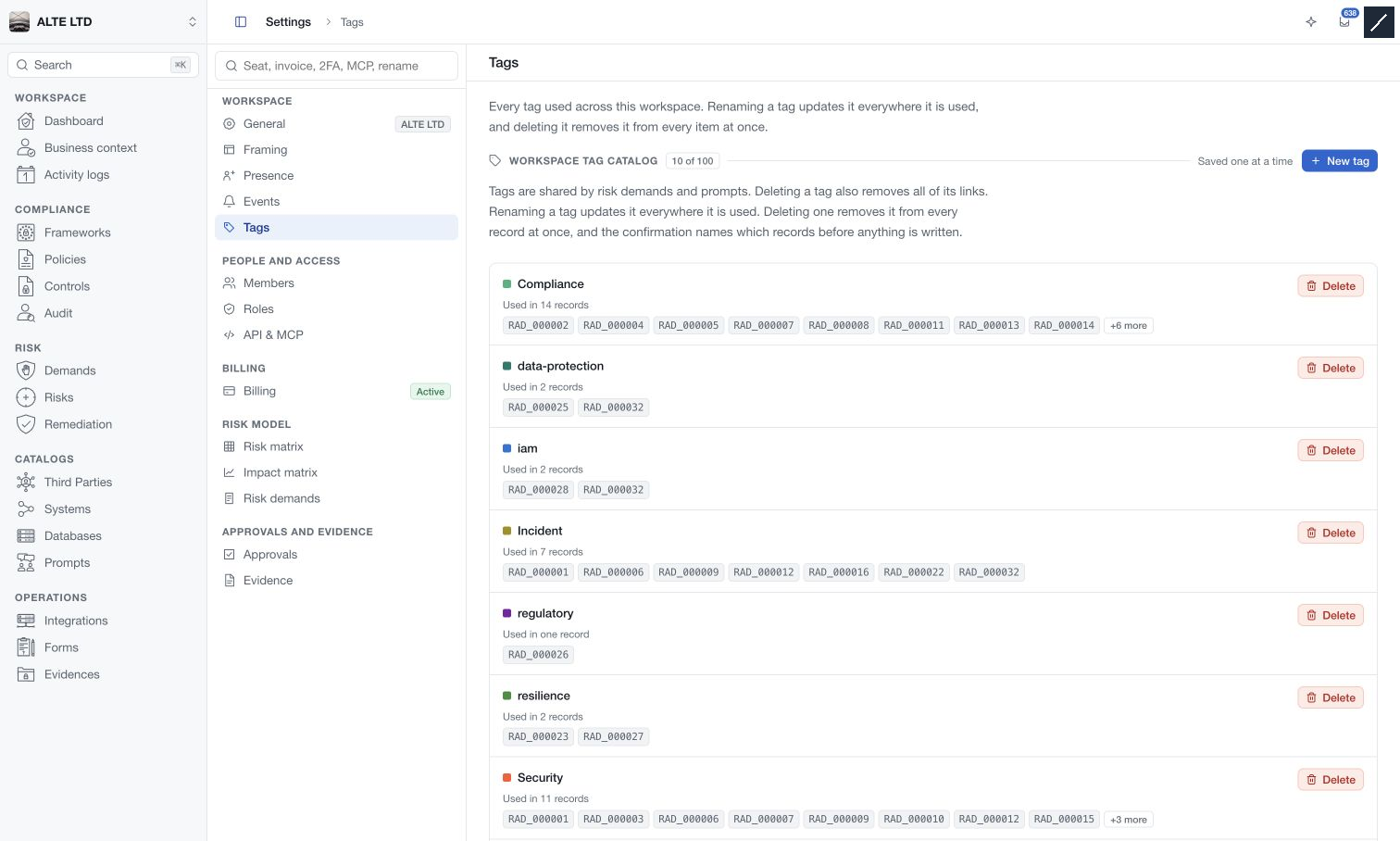
Create a tag
- Select New tag.
- Enter a name of at most 30 characters using letters, digits, spaces, underscores or hyphens.
- Choose a colour and select Create the tag.
- Confirm the saved tag in the catalogue.
Names already present in the workspace are refused. The current catalogue limit is 100 tags; the page displays the remaining capacity as the limit approaches.
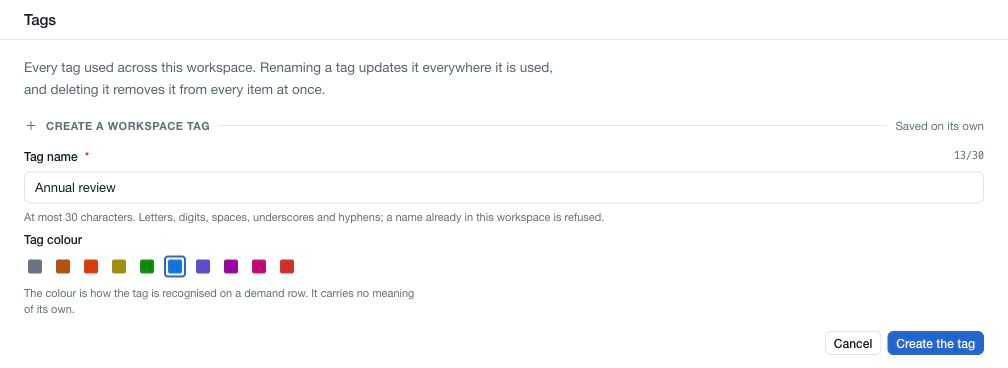
Edit a tag
Use the edit control beside a tag, update its name or colour, then save that tag. Tags are saved individually. Renaming one updates the label wherever it is used; it does not create a duplicate or change the underlying record's business data.
Agree a small vocabulary with your team, such as an initiative or review cycle. Colour is a visual aid and does not establish a risk score, priority or permission.
Delete a tag
Inspect the usage count and record codes first. Select Delete, then read the confirmation showing the affected links before proceeding.
Deletion removes the tag from the catalogue and unlinks it from its records. It does not delete the demands or prompts themselves. If a tag has no links, deletion removes only the unused label.
Use the record's tag picker when you only want to remove one association; deleting the shared tag affects all of its associations.