

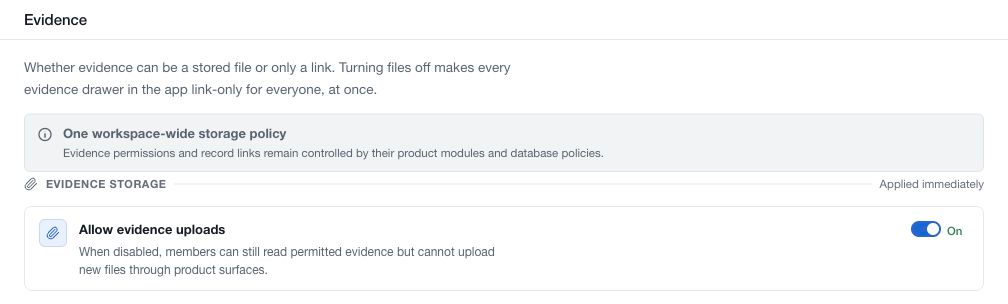
Open Settings → Evidence to review the workspace-wide storage policy. Allow evidence uploads controls whether members can add new files through the product's evidence surfaces.
When enabled, authorised members can upload evidence files or use supported external links. When disabled, evidence attachment becomes link-only. Existing evidence remains readable where the member's permissions allow it.
The switch applies immediately across the workspace. Confirm its resulting state after a change. It does not transfer existing files to an external document system, delete the existing evidence archive or grant access to restricted records.
Use links for an external source of record
If your organisation keeps documents in an external system, attach the appropriate links and maintain access there for intended reviewers. A link in CSFaaS does not automatically grant permission to open the target document.
Check linked evidence periodically for access changes, expiration or replaced content. Use a stable document reference when your review process needs to preserve the exact version examined.
Troubleshoot an unavailable upload
Check the workspace storage policy, your permissions in the relevant module, and the upload field's file-type and size requirements. Storage usage and billing are separate concerns shown in their relevant screens. Re-enabling uploads does not override an individual record's access rules.