

Evidence backs up your compliance work everywhere in CSFaaS: controls, frameworks, audits, demands and more each have an evidence drawer where members attach proof. The Evidences section of Workspace Settings contains one important decision: whether that proof may be stored as files inside CSFaaS at all.
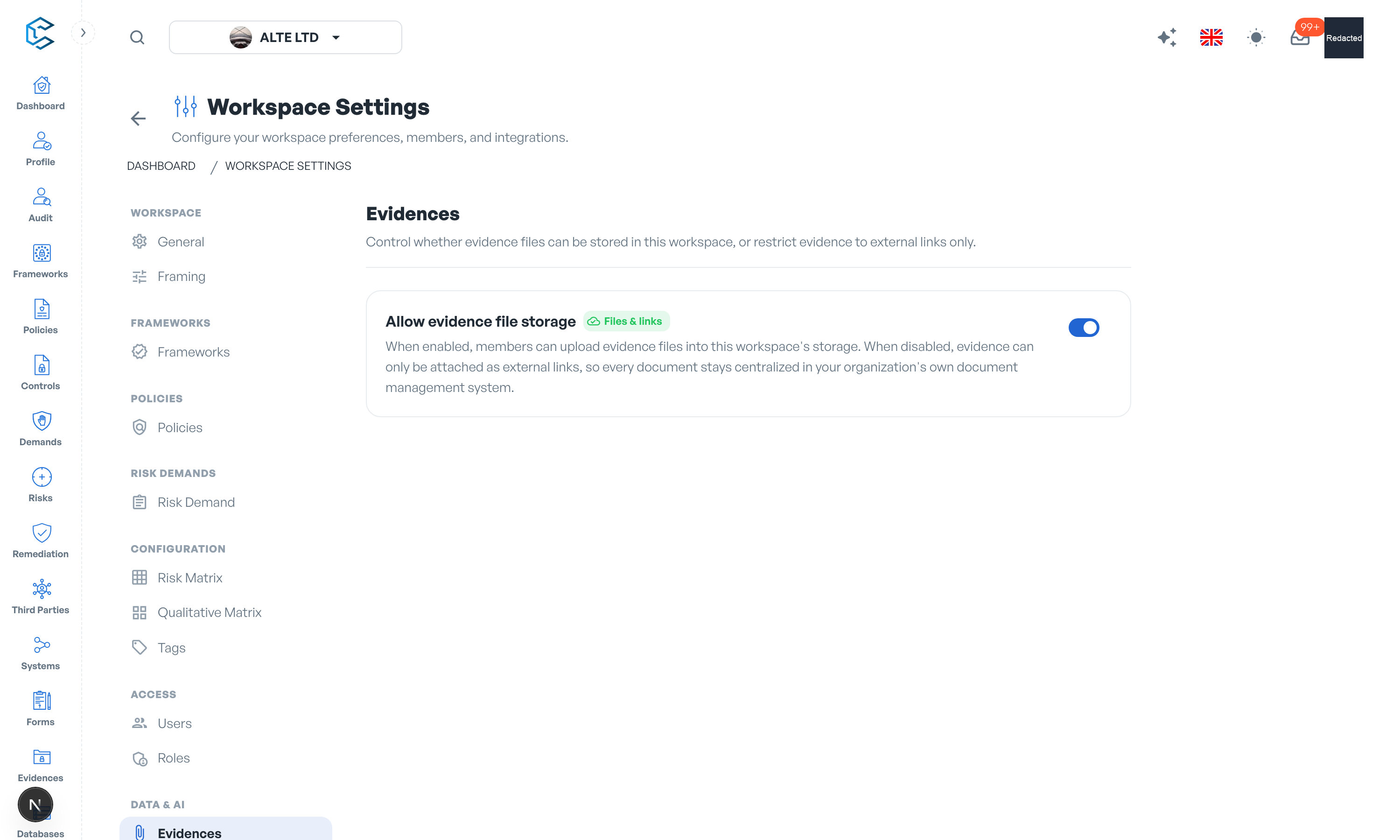
1. Allow Evidence File Storage
The Allow evidence file storage switch has two states:
- Files & links (default): members can upload evidence files into the workspace's secure storage, or attach evidence as external links. Every workspace includes 5 GB of storage; additional storage is available as a billing add-on.
- Links only: file upload is disabled across the whole workspace. Every evidence drawer becomes link-only, so every document stays centralised in your organisation's own document management system and CSFaaS holds only references.
The switch applies immediately and covers every module's evidence drawer at once.
2. When to Restrict to Links
The links-only mode suits organisations whose document governance requires a single system of record: evidence keeps living in SharePoint, Google Drive or your GRC document vault, while CSFaaS tracks what evidences exist and where they are. Reviewers follow the link to the authoritative copy instead of a duplicate.
Note: switching to links only stops new file uploads; it is a policy for how evidence is attached from now on. Attach links pointing at your document system for anything new, and you keep one authoritative copy of every document.
Privacy note. Personal details in this revision have been removed, masked or replaced for privacy. The original is retained privately.