

Approval workflows put a validation step in front of sensitive actions, so critical changes are reviewed before they take effect. In Workspace Settings, workflows are presented inside the section of the module they govern, rather than on one shared page.
1. Where Workflows Live
| Settings section | Workflows |
|---|---|
| Frameworks | Approval of framework deletions and approval of new framework versions. |
| Policies | Approval of policy deletions and approval of new policy versions. |
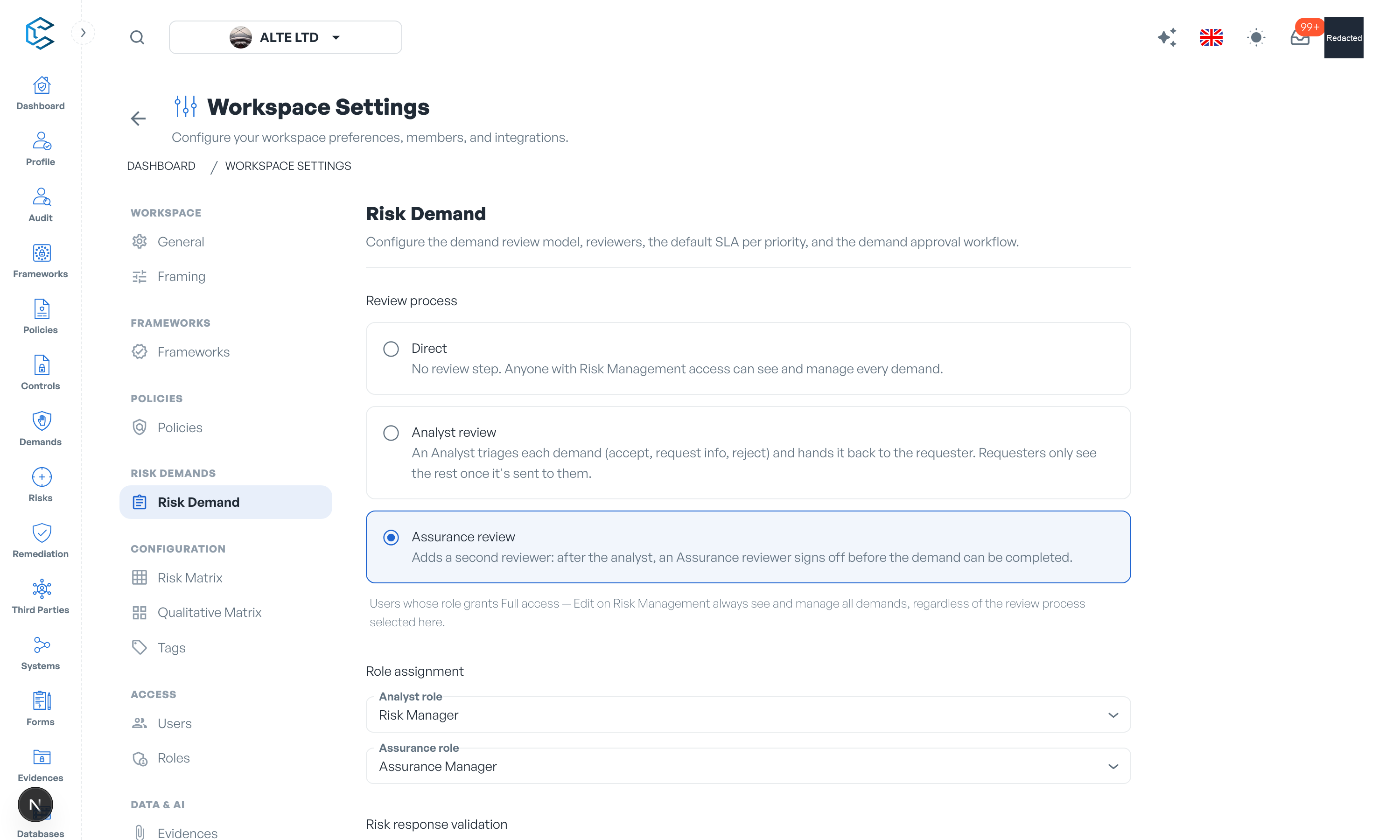
| Risk Demand | The demand review workflow: the review process level (Direct, Analyst review or Assurance review), which of your roles acts as Analyst role and which as Assurance role, and the single or multiple validation modes for each gate. |
Each section's header shows an at-a-glance status such as "2 of 2 enforced".
2. Configuring a Workflow
Every workflow row offers three controls:
- Enforced switch: turns the approval requirement on or off. This is a quick action that applies immediately. By default workflows are not enforced, so the action proceeds without approval.
- Approver role: the workspace role whose members act as approvers. Manage who holds the role in Settings, Users and Roles.
- Validation: Single or Multiple (some workflows only support a single approval).
Once a workflow is enforced, the corresponding action (for example deleting a framework or publishing a new policy version) requires approval from the assigned role before it takes effect.
3. Single vs Multiple Validation
- Single Validation: one approval from any member holding the approver role is enough. Suited to routine changes.
- Multiple Validation: every member holding the approver role must approve. Suited to critical or high-risk changes where several stakeholders share responsibility.
You can point a workflow at one of your standard roles, or create a dedicated approver role in Settings, Roles and assign it to exactly the people who should sign off.
4. Key Takeaways
- Workflows add accountability and consistency to framework and policy lifecycle actions.
- Enforcement is per workflow: enable it only where your governance requires an approval gate.
- The demand review workflow is richer than an approval gate: it is a staged process with reviewer roles (Analyst and Assurance) assigned in Settings, Risk Demand, where its validation modes are configured too.
Privacy note. Personal details in this revision have been removed, masked or replaced for privacy. The original is retained privately.