

Your workspace data belongs to you. The Exports section of Workspace Settings lets you download it, one dataset at a time or the whole workspace at once, in formats you can archive, analyse or hand to an auditor.
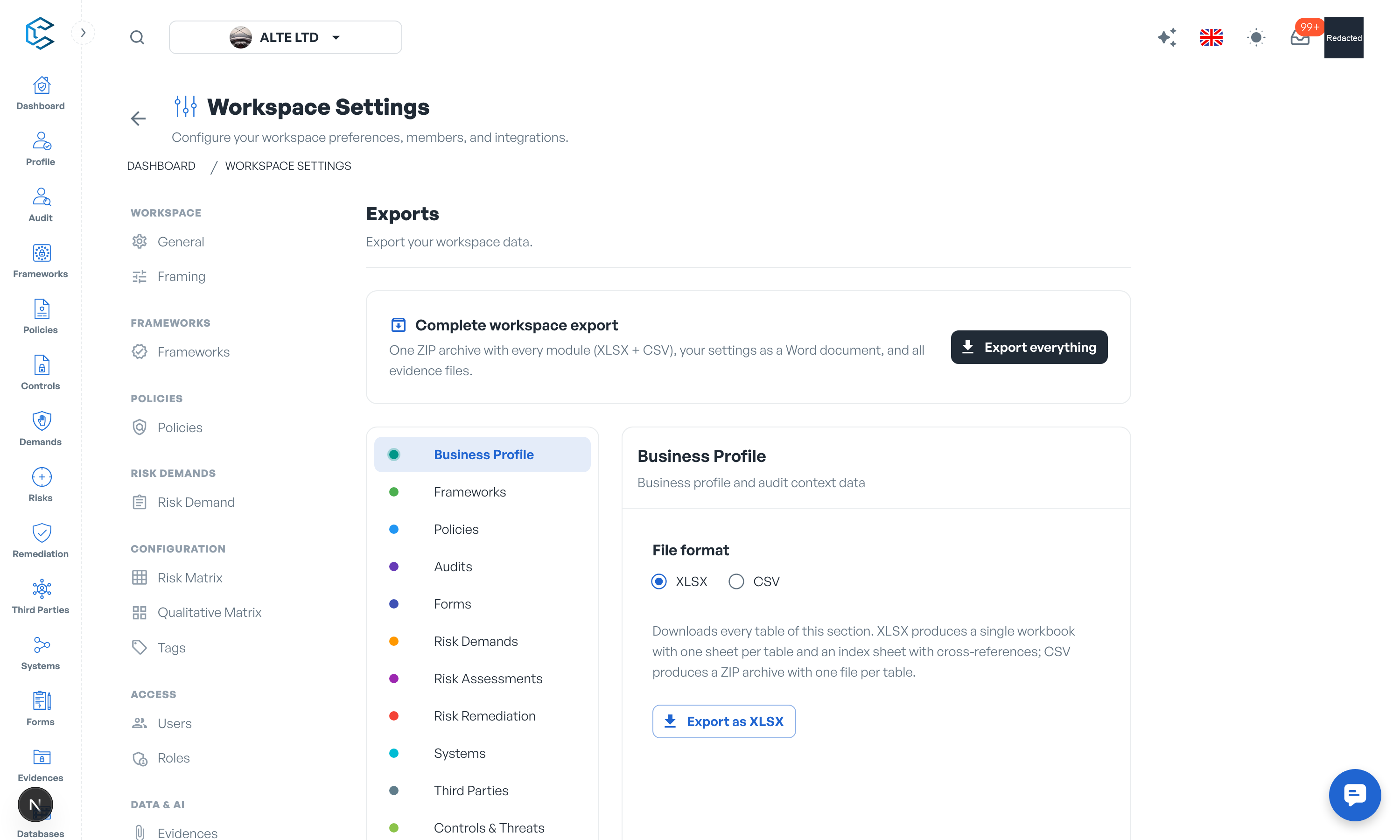
1. What You Can Export
Exports are organised in datasets, each covering one area of the workspace:
| Dataset | Contents |
|---|---|
| Business Profile | Business profile and audit context data. |
| Frameworks | All frameworks, versions, elements, owners, comments and share links. |
| Policies | All policies, versions, controls, attributes, owners and framework links. |
| Audits | Audits, assessed elements, questions, observations, findings and recommendations. |
| Forms | Forms, questions, categories, submissions and answers. |
| Risk Demands | Risk demands, their attributes, links, comments and invitations. |
| Risk Assessments | Risk assessments with all related attributes and database controls. |
| Risk Remediation | Remediation plans, owners and review schedules. |
| Systems | Systems inventory with all attributes, relations and comments. |
| Third Parties | Third-party records with all attributes, relations and comments. |
| Controls & Threats | Controls and Threats database customisations. |
| Configuration Catalogs | Your workspace catalogue customisations. |
| Activity & Events | The workspace activity log. |
| Settings | A formatted Word document covering the whole workspace configuration: general settings, members, roles and permissions, workflows, risk matrices, tags, feature framing, notifications and billing. |
| Evidences | A ZIP archive with every evidence file organised by module, plus an XLSX manifest listing each evidence record, link and file. |
2. Formats
For data sections, choose the file format before exporting:
- XLSX: a single workbook with one sheet per table and an index sheet with cross-references. The most convenient format for review.
- CSV: a ZIP archive with one file per table. The most portable format for tooling.
The Settings dataset always produces a Word document, and the Evidences dataset always produces the ZIP archive with its manifest.
3. The Complete Workspace Export
The Export everything action bundles the entire workspace into one ZIP archive: every module as XLSX and CSV, your settings as a Word document, and all evidence files. A progress indicator follows the export as it fetches data, builds artifacts, downloads evidence files and compresses the archive.
4. Access and Scope
Exports are available on every workspace and require access to Workspace Settings. An export contains the data you can access: rows outside your permissions are not included. If a table could not be read, the export completes anyway and lists the affected tables in a warning.
Tip: run the complete export before major reorganisations or at audit milestones; the dated archive doubles as a point-in-time snapshot of your compliance programme.
Privacy note. Personal details in this revision have been removed, masked or replaced for privacy. The original is retained privately.