

Open Settings → Framing to decide which sections and capabilities the workspace uses. These choices affect the experience of every member. They do not delete existing product records.
Review a section
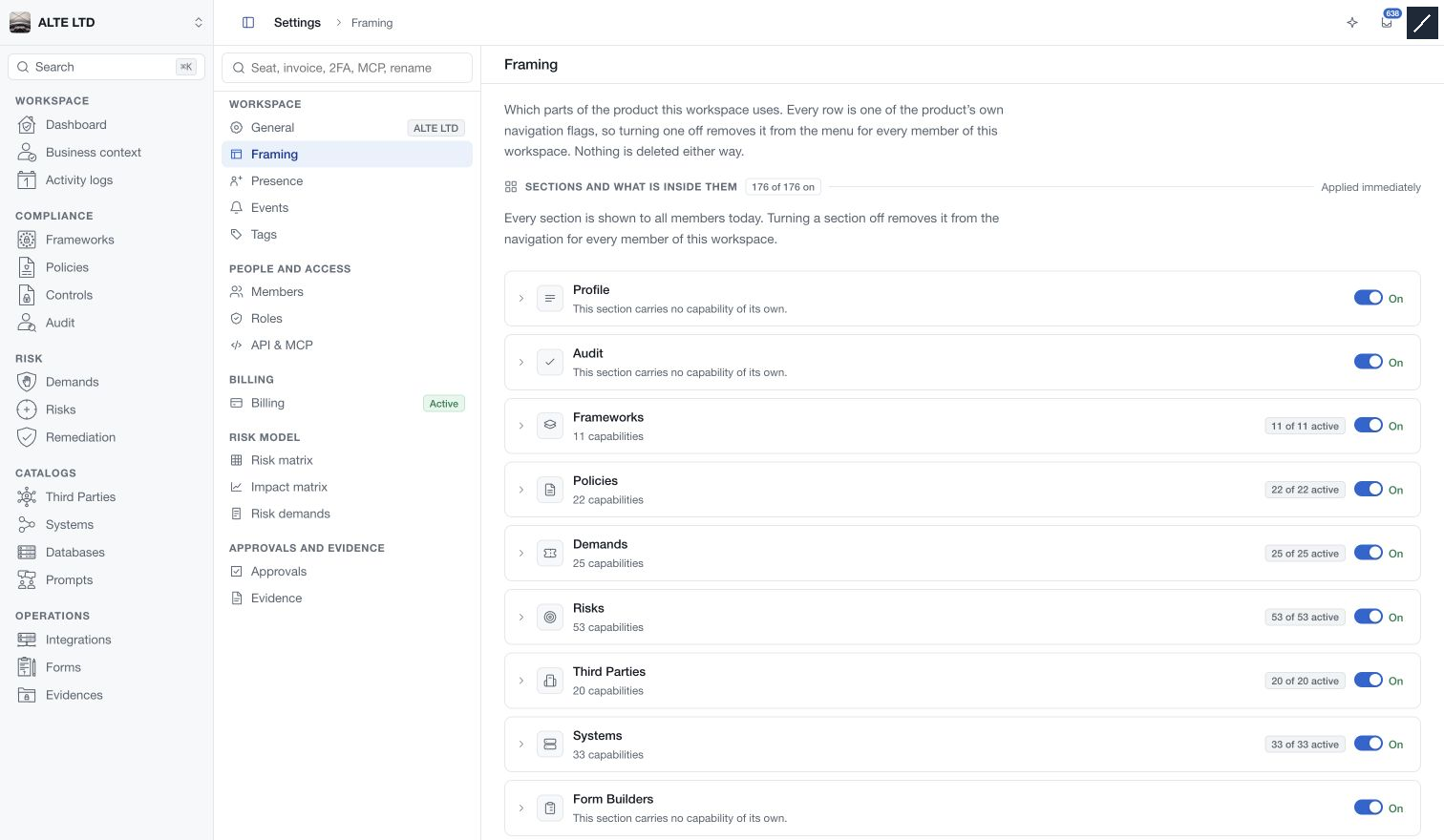
The list shows each section, its switch and any capabilities it contains. Expand a section to inspect those capabilities. The active counts describe configuration flags, not how complete the organisation's security programme is.
Turning off a section removes it from navigation for the workspace. Its child capability values are retained while the section is hidden. Turn the section back on to configure them. Some capabilities are required by related functionality and display the dependency that prevents changing them independently.
Changes apply immediately. Confirm the resulting switch state and any success or error message before continuing.
Compare presets
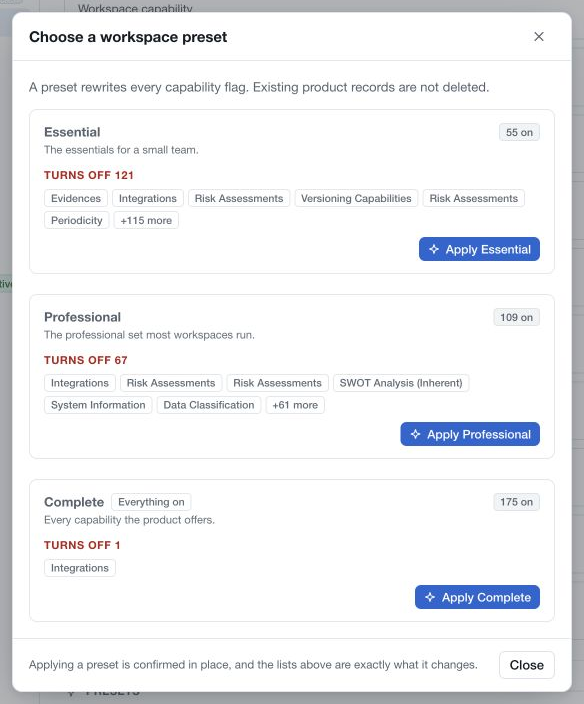
Select Compare the three presets to review Essential, Professional and Complete. The comparison shows what each preset would turn on or off in this workspace.
A preset rewrites the full set of capability flags, including choices you previously tailored individually. Inspect the difference lists and counts before applying it, even when its name sounds appropriate. Confirm the proposed change only after checking which modules and capabilities it affects.
After application, return to the section list and review the configuration needed by your team. Existing records remain stored, but disabled sections or capabilities may no longer be drawn in the interface.
Keep permissions separate
Framing configures the workspace's enabled experience. Settings → Roles and Members determine each member's access. Enabling a section does not grant permission to every member; hiding a section is not a substitute for removing a member's permissions.