

The Policies module provides comprehensive tools for writing, structuring and monitoring the policies of your organisation. Build the policy structure that fits your governance (sector-specific, issue-specific or system-specific policies), write the content, attach controls, and cross-map everything to your frameworks so maturity flows back into your compliance baseline.
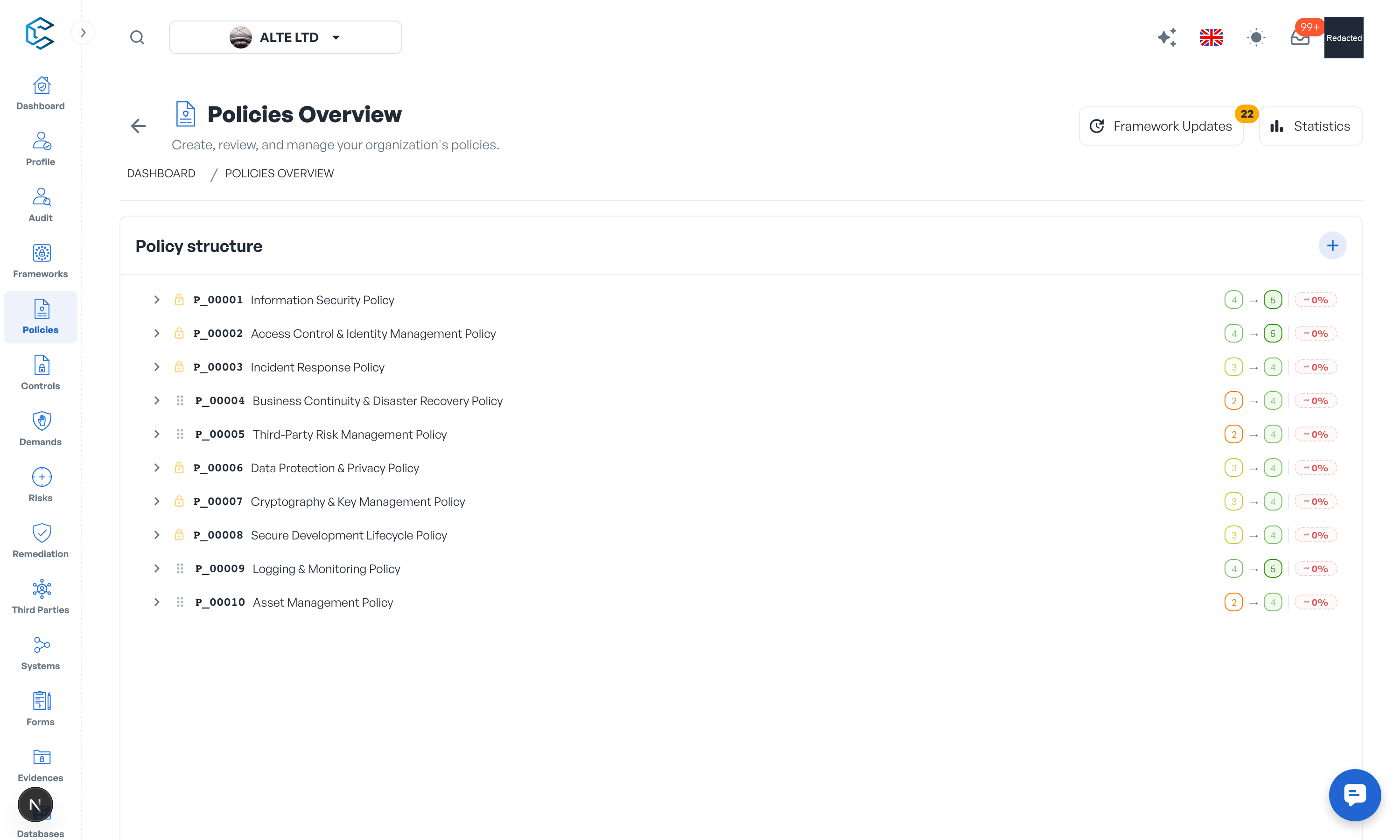
Like frameworks, policies are versioned with an optional, traceable approval workflow (configured in Settings, Policies) for new versions and deletions.
1. Key features and options
- Policy tree: each policy is a tree of categories and subcategories with rich-text content at every level, so the document structure matches how the policy is actually organised.
- Collaborative editing: policy text supports live co-editing; several people can write in the same element at the same time, like a shared document.
- Contextual information: structure the policy's scope, compliance information, exceptions, references to other standards and policies, and contacts.
- Controls: define the controls that make the policy actionable, classify them with attributes (such as Information Security Property, Control Function and Privacy Control Function), set their review periodicity and track their progression.
- Maturity levels: score current and target maturity for policy elements and controls, and follow the gap.
- Framework links: map one policy to several frameworks at once; the links power coverage and audit-readiness figures across the platform.
- Versioning: full version history with the optional approval workflow; approval requests arrive in the reviewers' Inbox.
- Confidential details: a dedicated permission, Policy Confidential Details, gates the sensitive sub-layer (evidences, internal comments, maturity and evaluation results, statistics). A member with policy read access but without it, a policy viewer, sees the policy content only: ideal for distributing policies to the whole organisation.
- Sharing: generate share links to distribute a policy outside the module.
- Analytics: visualise maturity, progression and control attributes across your policy set.
- Owners, comments, filters and evidences complete the toolset, as in the other modules.
2. Where to go next
The policies chapter of this documentation details the policy tree, versions and approvals, framework mapping, the confidential layer and the statistics panel.
Privacy note. Personal details in this revision have been removed, masked or replaced for privacy. The original is retained privately.