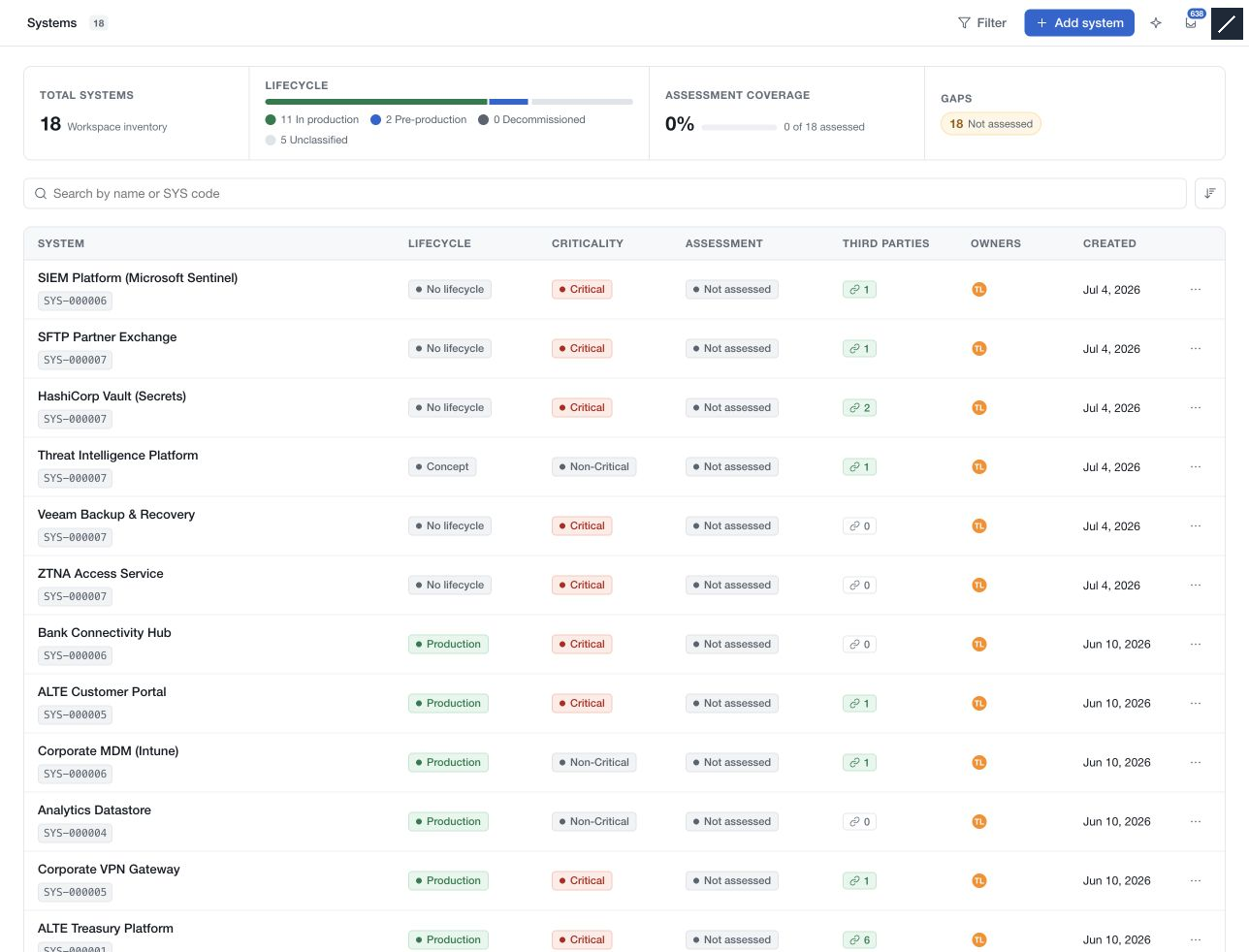
Use Systems to maintain the components that support your organisation's activities. Open it from Catalogs in the main navigation. The register combines a searchable inventory with lifecycle and assessment information; selecting a row opens the record.
Start with the register
The overview shows inventory size, lifecycle distribution, assessment coverage and assessment gaps for the authorised scope. The table includes the system name and SYS code, lifecycle, criticality, assessment status, linked third parties, owners and creation date where available.
Search by name or SYS code. Use Sort to change the order and Filter to narrow the register. Filter selections apply live. Missing relationship information remains unknown when its source cannot be read.
Open and maintain a record
The detail page presents Context, Architecture, Data held, Recovery, Contacts and Complementary information, plus supported relationships and assessments. Sections follow the workspace's framing configuration.
Choose Edit beside a section to open its editor. Done retains the changes in the page's pending draft; use the save bar to write them. Cancel closes the section editor and restores its opening values. Separate record actions have their own save or confirmation controls.
Use the header panel controls to hide or restore the register and record-activity panel. The activity panel contains the supported Activity, Comments, Evidence and Reviews tabs.
Connect the system to its context
Assign accountable workspace owners separately from named operational contacts. Link existing third parties to describe dependencies. Use Manage assessments to link completed risk demands and their next assessment dates. Record review schedules are a separate part of maintaining the system information.
Stakeholder invitations can grant a workspace member access to one system without changing their general module role. A pending invitation is not accepted access.
For a step-by-step guide, continue to Prepare your Systems & Key Components. A populated record or an assessed badge does not establish that all relevant risks have been identified; review the scope and evidence behind it.