

Use Policies to maintain the written governance and control requirements your organisation follows. The module connects policy text, version history, ownership and framework mappings.
Open a policy
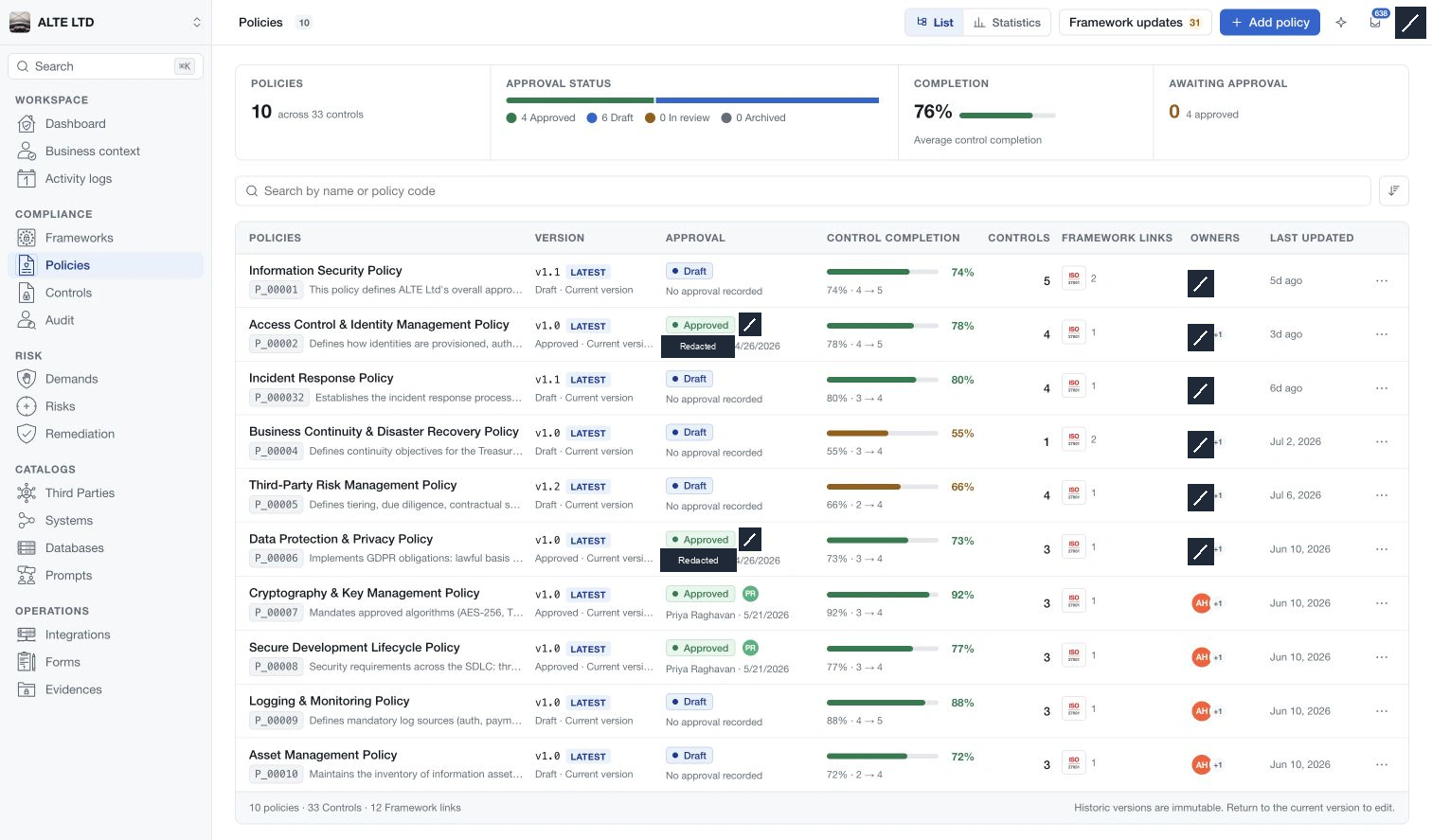
Start from the policy register, search by name or code and select a policy. Its Structure view shows the policy, categories, subcategories and controls beside the selected element's content. Header controls show or hide the structure and resource panel.
Use Add policy for a new top-level document, then Add element inside it to build its hierarchy. Rich-text descriptions hold the reader-facing content at each level.
Maintain and review
Use Edit details to update an element, then Save changes. Closing the editor can leave a pending draft; use Discard to remove unsaved changes. Resolve pending edits before switching selection or workflow state.
Framework updates lets you review proposed changes from available frameworks. Choose the fields and destination before applying anything. Framework links connect requirements to policy work, while version approval records a separate review decision.
Reader and assessment access
Policy reading and confidential assessment details are separate permissions. A policy viewer can read the available policy content without receiving internal evidence, comments, maturity analytics or version-management actions.
For authorised reviewers, the resource panel brings together activity, comments, evidence and reviews. Statistics summarises control maturity and completion. Use the dedicated Controls module for a register across policies.