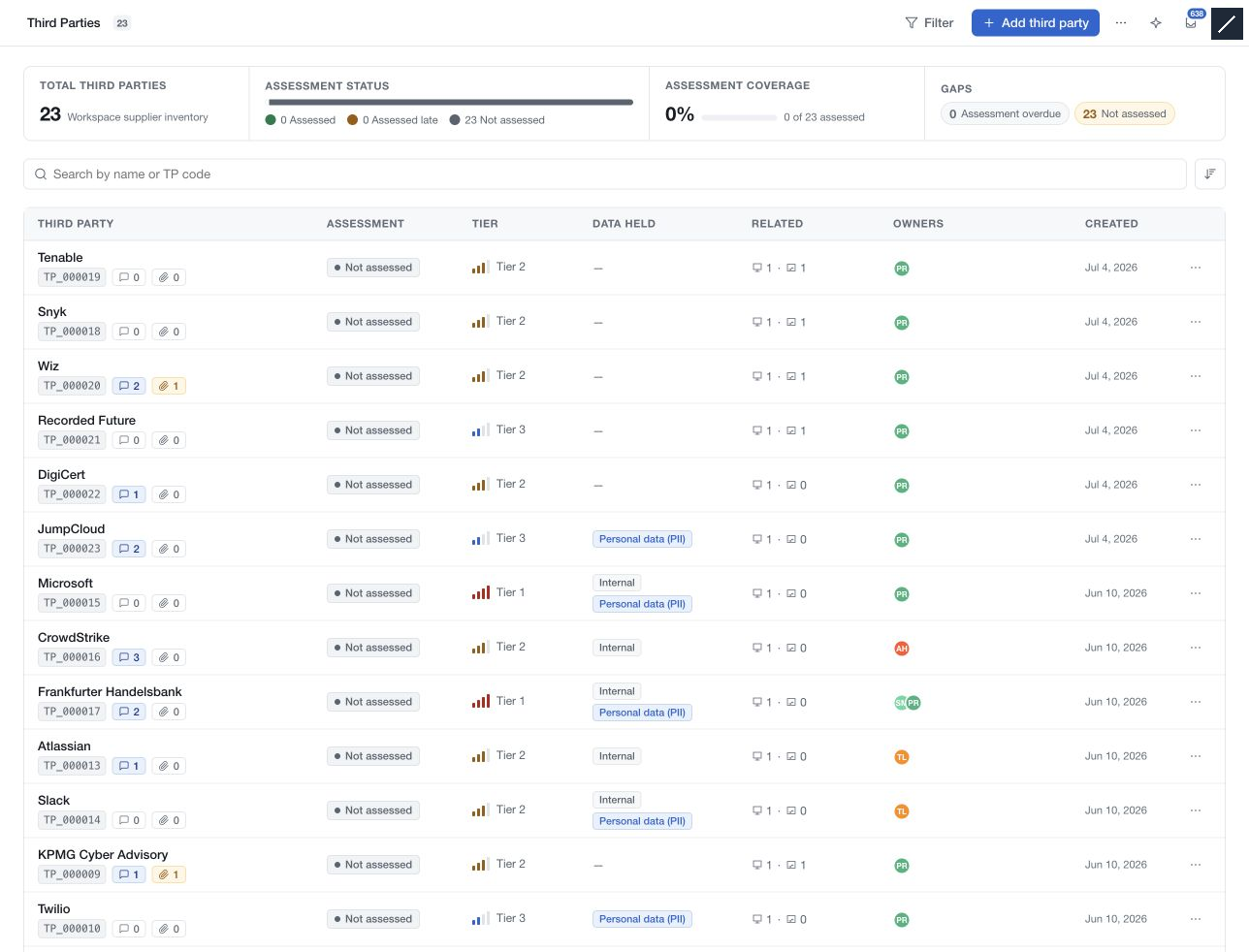
Use Third Parties to maintain the organisations involved in your activities: suppliers, partners, clients and other relationships. Each record brings together ownership, contact details, classification, data held, linked systems and assessment history.
Find the relationship you need
Open Third Parties from the workspace navigation. Search by name or TP code, sort the register, or use Filter to focus on assessment status, tier and classification. Select a row to open the record beside the list. Header controls let you hide the list or record panel when you need more reading space.
Document and assess
Choose Add third party to create a named record, then complete the relevant sections. Section editors retain a page draft when you choose Done; use the page save bar to save those edits.
Use Manage assessments to link a completed risk demand and set its assessment cadence. Scoped risk demands shows demands that name the third party in their scope. These links do not automatically make a demand the current assessment of record.
The record panel provides activity, comments, evidence and reviews. Owner assignments, system relationships, assessment actions and sent forms use their own controls. Check each result separately from the page draft.
Permissions and workspace framing determine which actions and fields are available. A linked system or demand remains subject to its own access rules.