

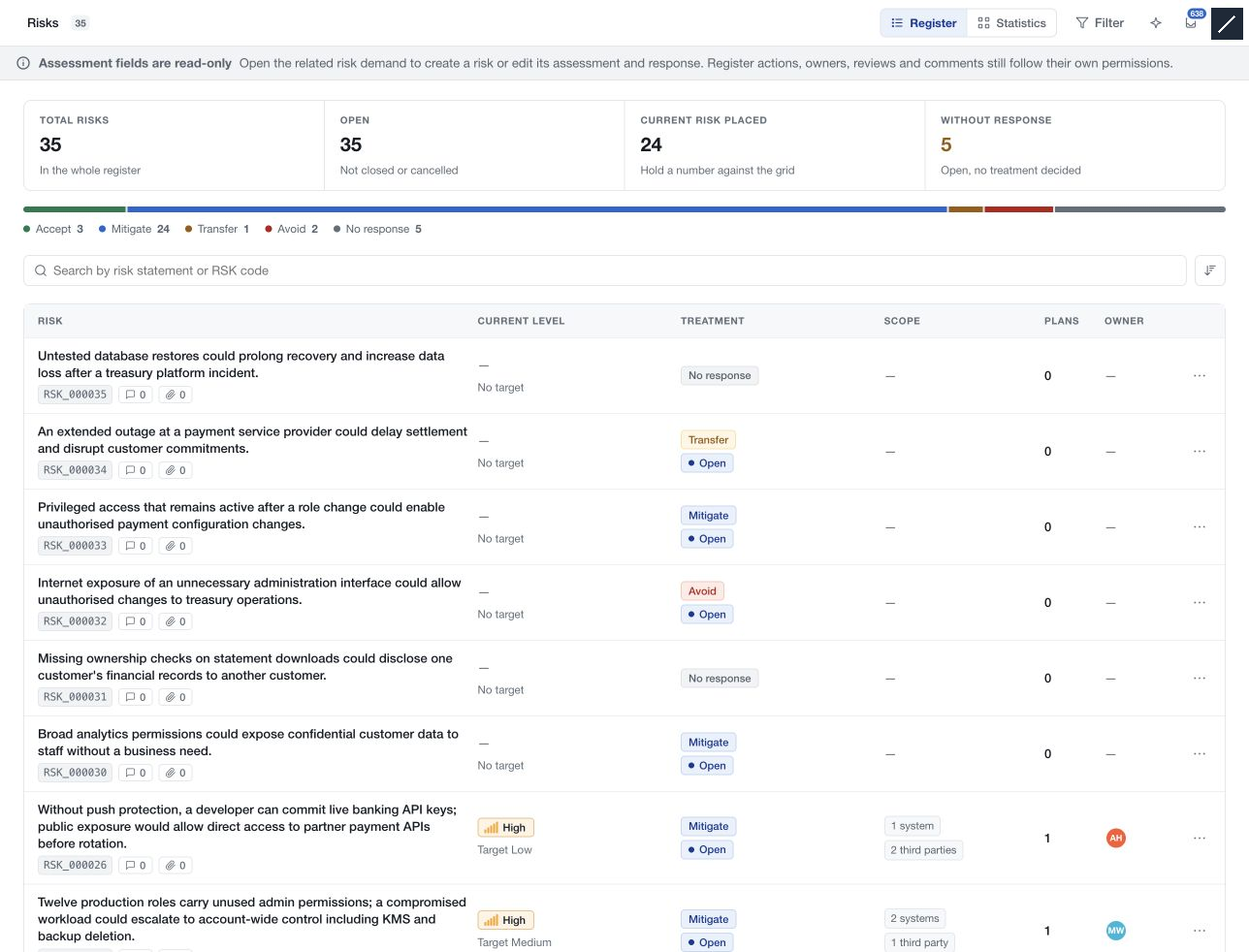
The Risks register consolidates assessments created on demands. Open it under Risk to review scenarios, current and target exposure, responses, ownership and follow-up across the workspace records you can access.
Inspect a record
Select a row to open its assessment, recommended controls, response and remediation plans. The register presents assessment content read-only; follow the related-demand link to edit the analysis where the workflow permits it.
Comments, evidence, owners, review schedules and lifecycle actions follow their own permissions. Use More risk actions to inspect closing, restoration or deletion options for a particular risk.
Understand the overall position
Choose Statistics to inspect response distribution, risk classifications and inherent/current/target matrix placements. Select a matrix cell to read the risks it contains. Use filters to focus on open exposure, missing responses, ownership gaps or overdue reviews.
A response such as Mitigate is a decision about treatment. Risk closure and remediation validation are separate actions, so inspect their statuses when reporting progress.