

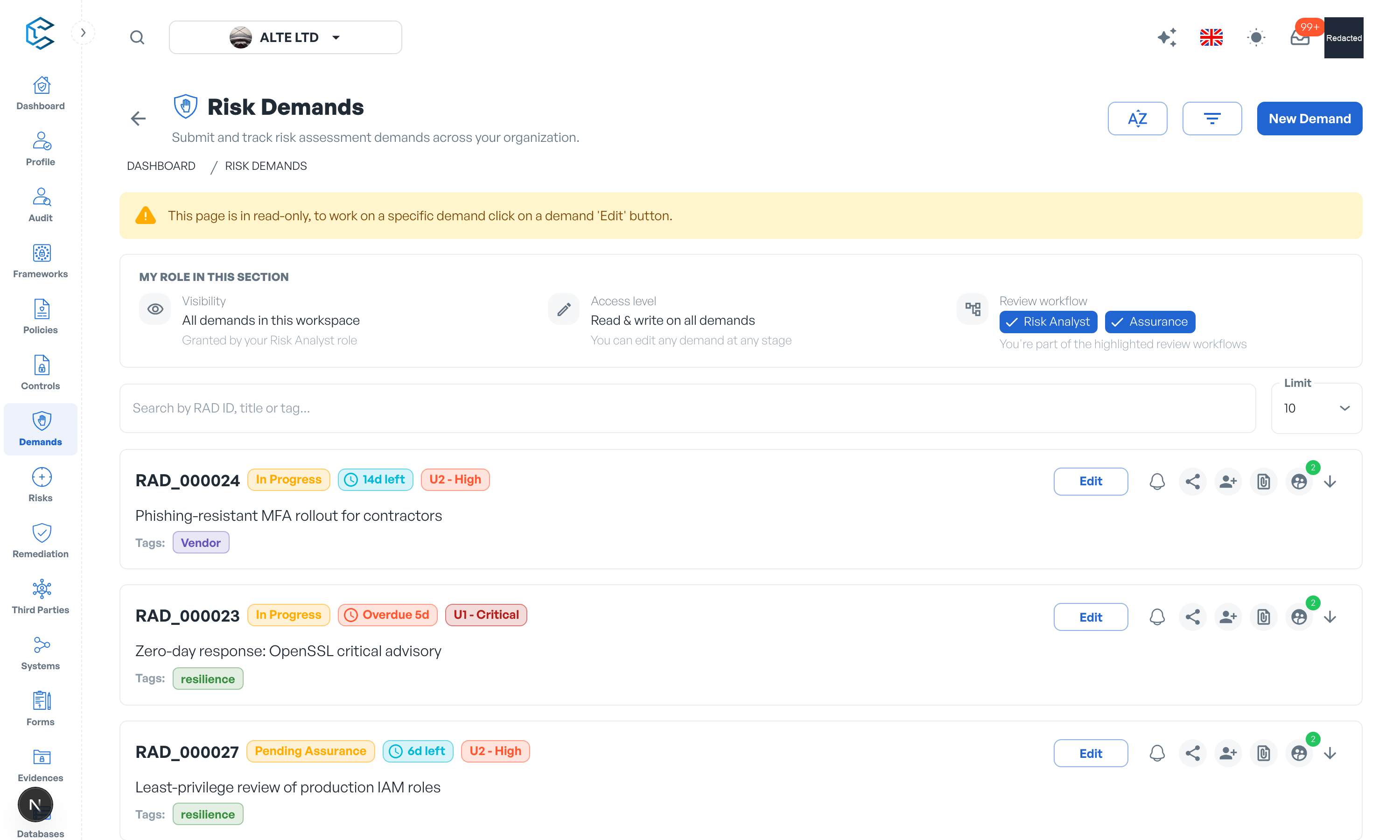
The Demands module is the front door of your risk process: anyone entitled can request a risk assessment (for a new system, a vendor, a change in the environment) and the request is triaged, assessed and answered through a controlled workflow. Every demand gets a reference code and a detail page gathering the request, its context and the resulting assessment.
1. From draft to submission
A demand starts as a Draft: only the requester sees it and nobody is alerted. Create it with just a title, then enrich it at your own pace: description, business goals and objectives, business drivers for security, involved systems and third parties, applicable policies. When ready, submit it for review; that is the moment reviewers are notified.
2. Status at a glance
Demands move through clear stages: Draft, Awaiting Acceptance, In Progress, Pending Closure, and the terminal states Completed, Rejected and Cancelled. The status chip on the demand header opens the Demand Status drawer: a timeline of every status change, who did it and when, including loops the demand went through. In-context alerts always point at the next expected action.
3. Deadlines and SLA
Each demand carries a priority and a due date, with default SLAs per priority set in Settings, Risk Demand. A countdown pill shows the days left, due today, or days overdue; a demand only counts as overdue while it is not yet completed or cancelled.
4. The review workflow
An analyst accepts the demand and performs the assessment, requesting more information from the requester when needed, then sends the risk response back; the requester can accept it or ask for changes. Depending on your settings, completion can additionally require approval by every analyst, an assurance review gate, or both. Every status-changing action asks for confirmation, and the messages exchanged at each step stay visible on the demand.
5. Visibility and stakeholders
Requesters follow their own demands throughout, and once results are shared with them they keep full visibility of the assessment. You can also invite individual stakeholders to a specific demand so they can follow or contribute without access to the rest of the module.
The demands chapter of this documentation walks through the workflow, the review settings and the SLA model in detail.
Privacy note. Personal details in this revision have been removed, masked or replaced for privacy. The original is retained privately.