

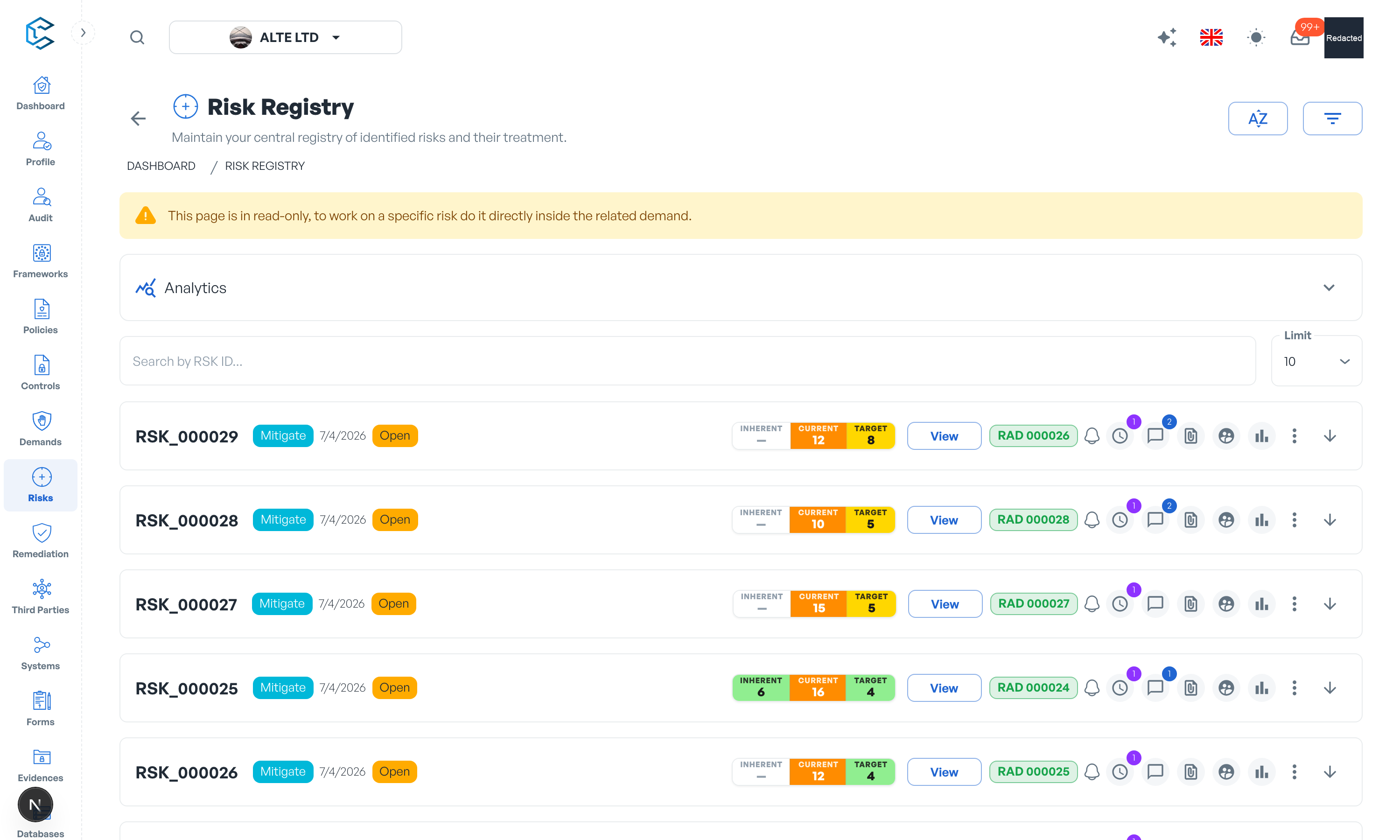
The Risks module is your risk registry: the central record of every identified cybersecurity risk in the workspace. Each risk carries a reference code and a full assessment file, whether it was born from a risk assessment demand or registered directly.
1. The assessment walkthrough
A risk is assessed through dedicated tabs that mirror a classic risk methodology:
- Risk Profiling: describe the risk, its business attributes and a SWOT analysis.
- Inherent Risk: score likelihood and impact before any control, on your workspace risk matrix.
- Current Risk: the risk as it stands today, given the controls in place.
- Recommended Controls: pick controls from your databases to reduce the risk.
- Target Risk: the level you aim for once recommendations are implemented.
- Risk Response: the decision (mitigate, accept, avoid) and its rationale.
- Remediation Plan: the linked action plans that carry the response out.
Scoring uses the risk matrices configured for your workspace (quantitative and qualitative), so every assessment speaks the same language.
2. Analytics and filters
The registry offers charts and level statistics to visualise your exposure: distribution by level, inherent versus current versus target comparisons, and the workspace heat map on the Dashboard. Filters narrow the list by category, level, status or SWOT dimension. Deadline indicators follow one simple rule everywhere: an item is overdue only if its due date has passed and it is not yet finished.
3. Accountability
Assign owners and responsible stakeholders to each risk, discuss it in comments, and attach evidences supporting the assessment. The registry keeps risk management transparent and traceable from identification to closure.
The risk chapter of this documentation covers the assessment steps, matrices and analytics in depth.
Privacy note. Personal details in this revision have been removed, masked or replaced for privacy. The original is retained privately.