

The Evidences module is your comprehensive solution for attaching and managing evidence where it is needed: frameworks, policies and controls, audits, risk assessment demands, remediation plans, third parties, systems and the organisation profile all accept evidence in context.
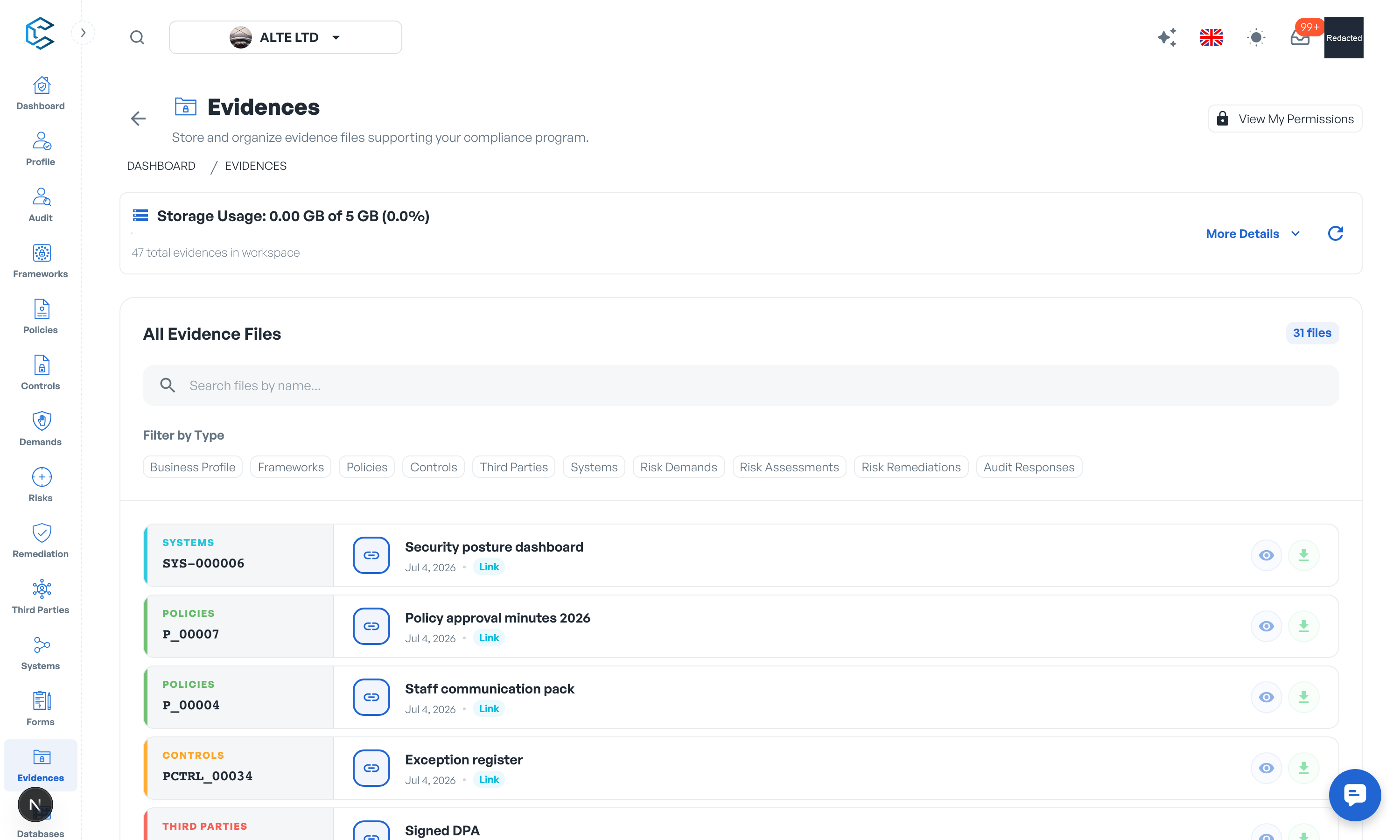
1. One page, attached everywhere
You attach evidence from the drawer of the element it supports, so each proof lives next to the requirement it satisfies. The central Evidences page then gives you the cross-module view: browse everything by origin, search it, and keep the whole evidence base organised.
2. Files or links
An evidence is either an uploaded file or a link to a document living in another tool. Files are stored in secure workspace storage and served through protected, expiring links. Every workspace includes 5 GB of evidence storage; additional space is available as a paid add-on at EUR 0.20 per GB per month (Settings, Billing).
If your organisation prefers documents to stay in its own repositories, an administrator can restrict evidence to links only (Settings, Evidences): upload is then disabled across the workspace and every evidence points to an external location.
3. Access and oversight
Evidence access follows your module permissions: you see and manage evidence in the areas you can access, and the View My Permissions action on the Evidences page shows exactly where you stand. The page also reports storage usage, file sizes, content types and origins, so administrators can keep consumption under control.
The evidences chapter of this documentation covers storage, the links-only mode and per-module evidence handling in depth.
Privacy note. Personal details in this revision have been removed, masked or replaced for privacy. The original is retained privately.