

1. Understanding multi-tenant workspaces
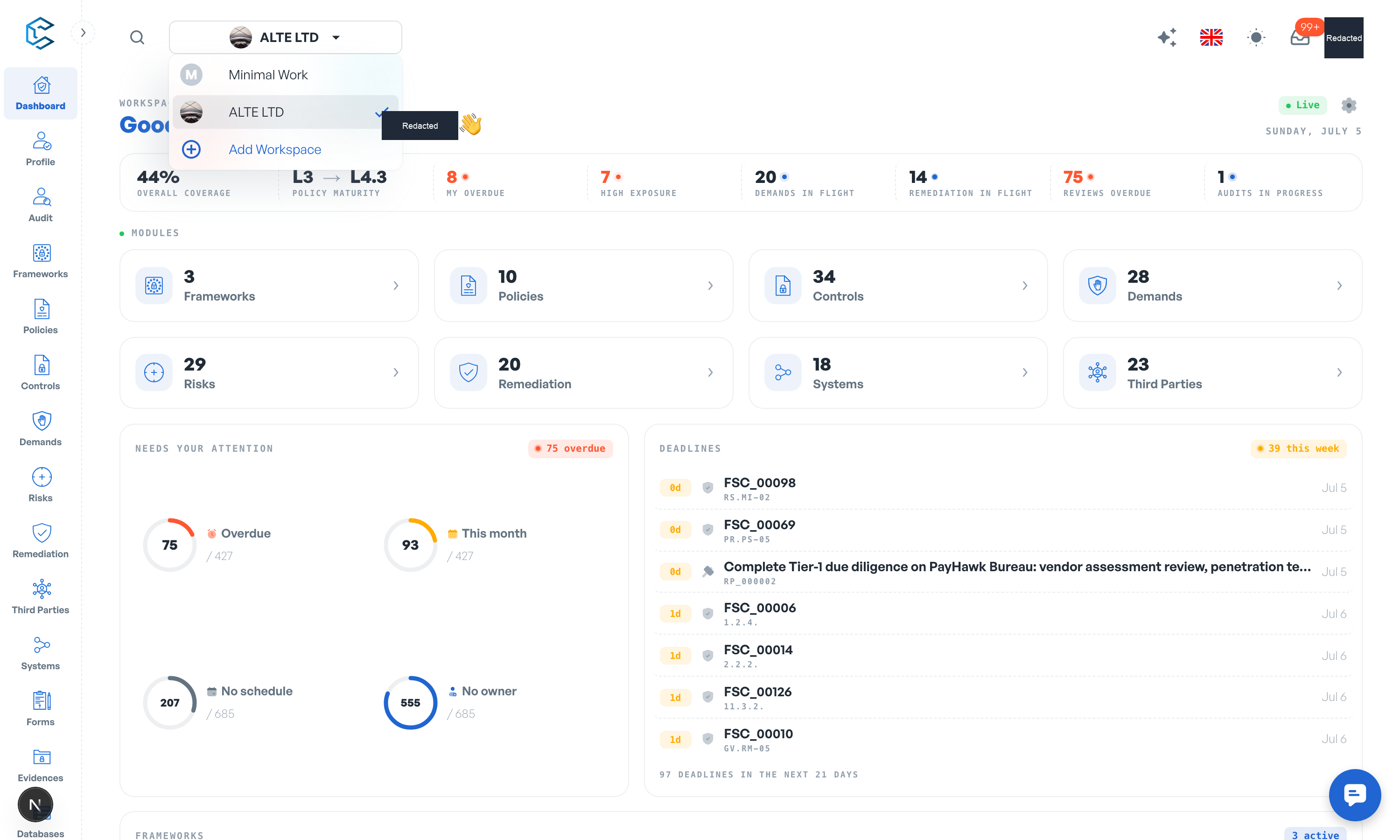
CSFaaS is built with a multi-tenant architecture: one account can manage several independent workspaces. Each workspace has its own data, members, roles and settings, kept strictly separated from the others. Whether you are:
- Organising internal security programmes,
- Onboarding multiple clients,
- Managing different business units, or
- Separating test and production environments,
workspaces give you scalability, flexibility and data isolation.
2. Your demo workspace
Every new user automatically receives a personal demo workspace: a fully populated example company with frameworks, policies, controls, audits, risks, vendors and systems. It is yours alone; click around and edit anything, it is a sandbox built for you. You can recognise it by the Demo chip in the workspace picker.
The demo workspace does not count against your workspace limit, and it disappears automatically once you create your real workspace. Real workspaces always start clean.
3. Creating a workspace
Open the workspace picker in the header and select Add Workspace. A short guided dialog walks you through:
- Name and description: give the workspace a name (15 characters maximum) and describe what the organisation does.
- Starting point: choose Minimal, Standard or Optimal to pre-select which capabilities are switched on. This is adjustable at any time in Settings, Framing.
- Select Create workspace.
4. Switching between workspaces
Use the workspace picker to jump between workspaces without logging out. Each workspace is logically isolated, so frameworks, policies, risks and evidence never leak from one tenant to another. This makes CSFaaS a natural fit for consultancies and MSPs handling several clients, and for enterprises segmenting business units.
5. Members, seats and roles
You invite people by email from Settings, Users. Every member is assigned one or more roles that define exactly what they can see and do; roles are managed in Settings, Roles.
Billing is per seat: the first 2 users are free (the owner counts as one of them) and every feature is included. Beyond that, each user costs EUR 79 per user per month (or EUR 790 per user per year). Seats count active members plus pending invitations, and the subscription is managed in Settings, Billing.
6. Workspace limits
By default an account can create two workspaces (the demo workspace does not count). If you need more workspaces on the same account, contact the support team to raise your limit.
Tip: workspaces you have been invited to also appear in the picker; joining someone else's workspace never counts against your own creation limit.
Privacy note. Personal details in this revision have been removed, masked or replaced for privacy. The original is retained privately.