

CSFaaS keeps you informed on two levels: instant toast messages that confirm your own actions and fade after a few seconds, and the Inbox, a persistent notification centre for everything that happens around you: activity on items you follow, approval requests, invitations and mentions.
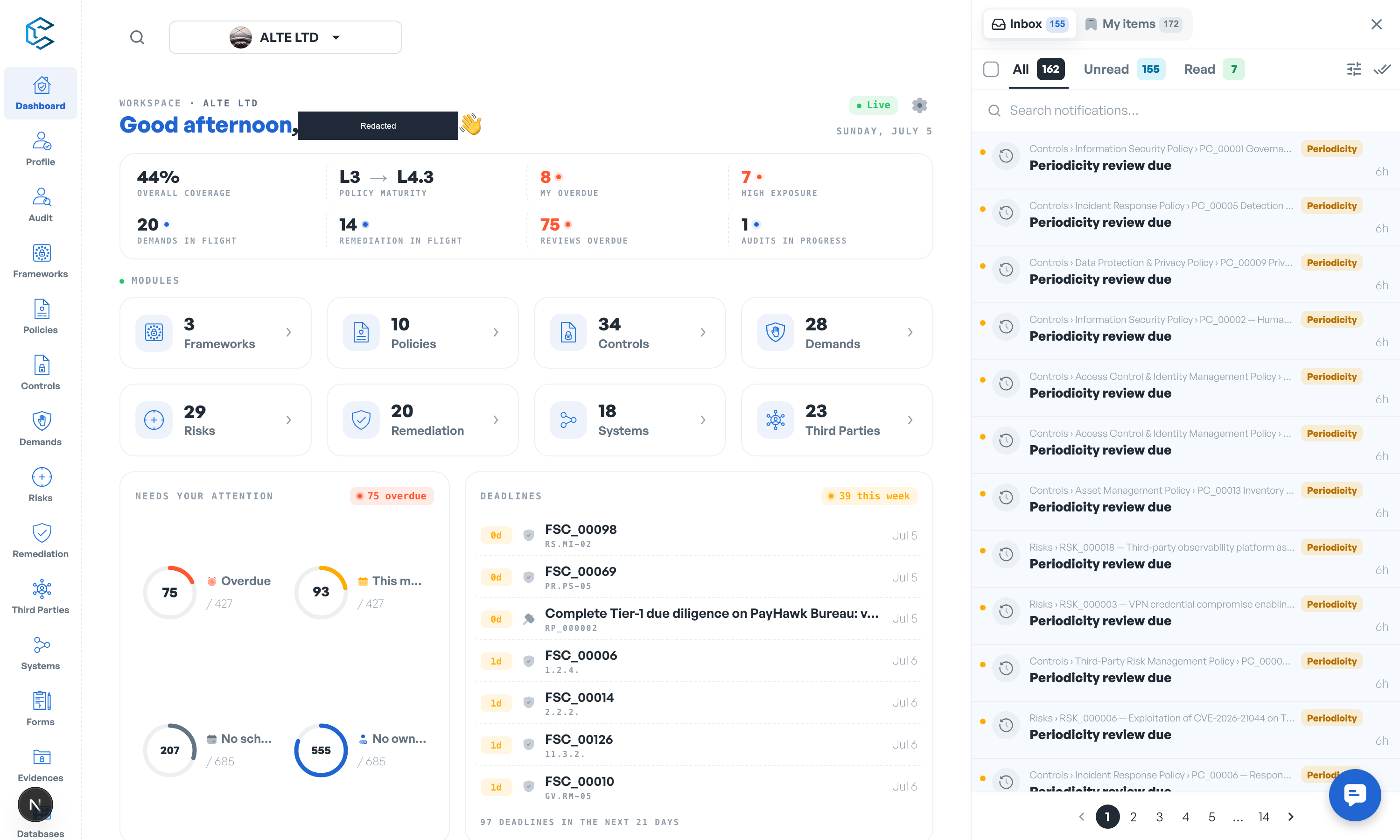
1. The Inbox
Click the bell icon in the header to open the Inbox; it docks as a panel on the right side of the screen, and the bell shows a badge with your unread count. Inside you can:
- Filter with the All, Unread and Read tabs, or search your notifications.
- Open a notification and jump straight to the exact element with Go to item or Mark as read & go to item.
- Mark items as read or unread individually, select several at once (including Select all on this page) for bulk actions, or use Mark all as read.
- Adjust display options such as ordering and showing unread first.
2. Following items
Most elements in CSFaaS (frameworks, policies, controls, risks, demands and more) carry an activity bell. Follow an element and every event on it lands in your Inbox, where your followed items are grouped for review. You can also follow entire sections to be notified about every event in a module without following items one by one.
3. Approvals and invitations
Some notifications call for a decision and originate from workflows enforcing rules on critical actions, for example:
- Framework or policy version approval,
- Framework or policy deletion requests,
- Risk assessment demand reviews,
- Workspace invitations, which you accept or decline directly from the Inbox card.
4. Email notifications
Invitations and other key events are also delivered by email, so you never miss them while signed out. Emails are sent automatically by the platform; there is nothing to configure.
Note: what you are notified about is driven by what you follow and by your role in each workflow. Display preferences live inside the Inbox itself.
Privacy note. Personal details in this revision have been removed, masked or replaced for privacy. The original is retained privately.