

The Settings entry at the bottom of the left menu is the central hub for customising the current workspace. The page is organised as a grouped sidebar: pick a section on the left, configure it on the right, and save with the global save bar. Access requires the Workspace Settings permission, and sections you cannot edit are shown read-only.
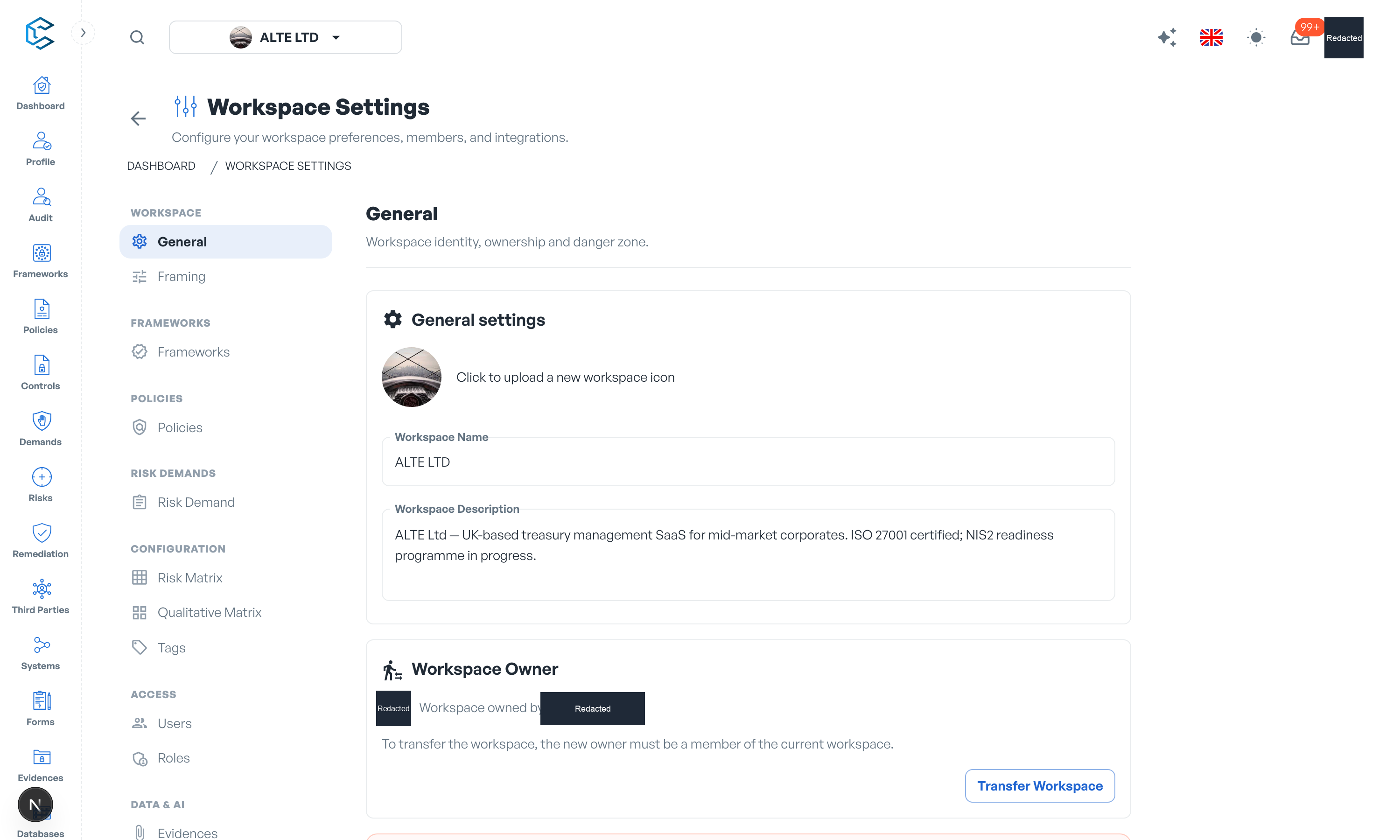
1. Sections at a glance
| Group | Section | What you configure |
|---|---|---|
| Workspace | General | Workspace identity, ownership transfer and the danger zone. |
| Framing | Which capabilities are available across this workspace. | |
| Frameworks | Frameworks | Approval workflows for framework deletions and new versions. |
| Policies | Policies | Approval workflows for policy deletions and new versions. |
| Risk demands | Risk Demand | The demand review model, reviewers, the default SLA per priority, and the demand approval workflow. |
| Configuration | Risk Matrix | The quantitative risk matrix. |
| Qualitative Matrix | The qualitative risk matrix. | |
| Tags | Every tag used across the workspace; renaming updates it everywhere. | |
| Access | Users | Invite or remove members, change their roles, and switch the live-presence layers on or off. |
| Roles | Roles and the permission matrix behind each one. | |
| Data & AI | Evidences | Whether evidence files can be stored, or evidence is restricted to external links only. |
| API & MCP | API keys, workspace API access, and connecting your own AI over MCP. | |
| Billing | Billing | Subscription, payment method and invoices. |
2. Going deeper
Each section has its own detailed guide in the settings chapter of this documentation, covering framing choices, the roles permission matrix, review workflows, risk matrices and billing step by step.
Privacy note. Personal details in this revision have been removed, masked or replaced for privacy. The original is retained privately.