

The Profile module, just under Dashboard in the left menu, captures the organisational context of your company within CSFaaS: who your organisation is, how it operates, and under which legal, regulatory and governance environment it functions. It supports the organisational-context requirements of standards such as ISO/IEC 27001 (clauses 4.1 and 4.2) by keeping this information structured, traceable and continuously updated.
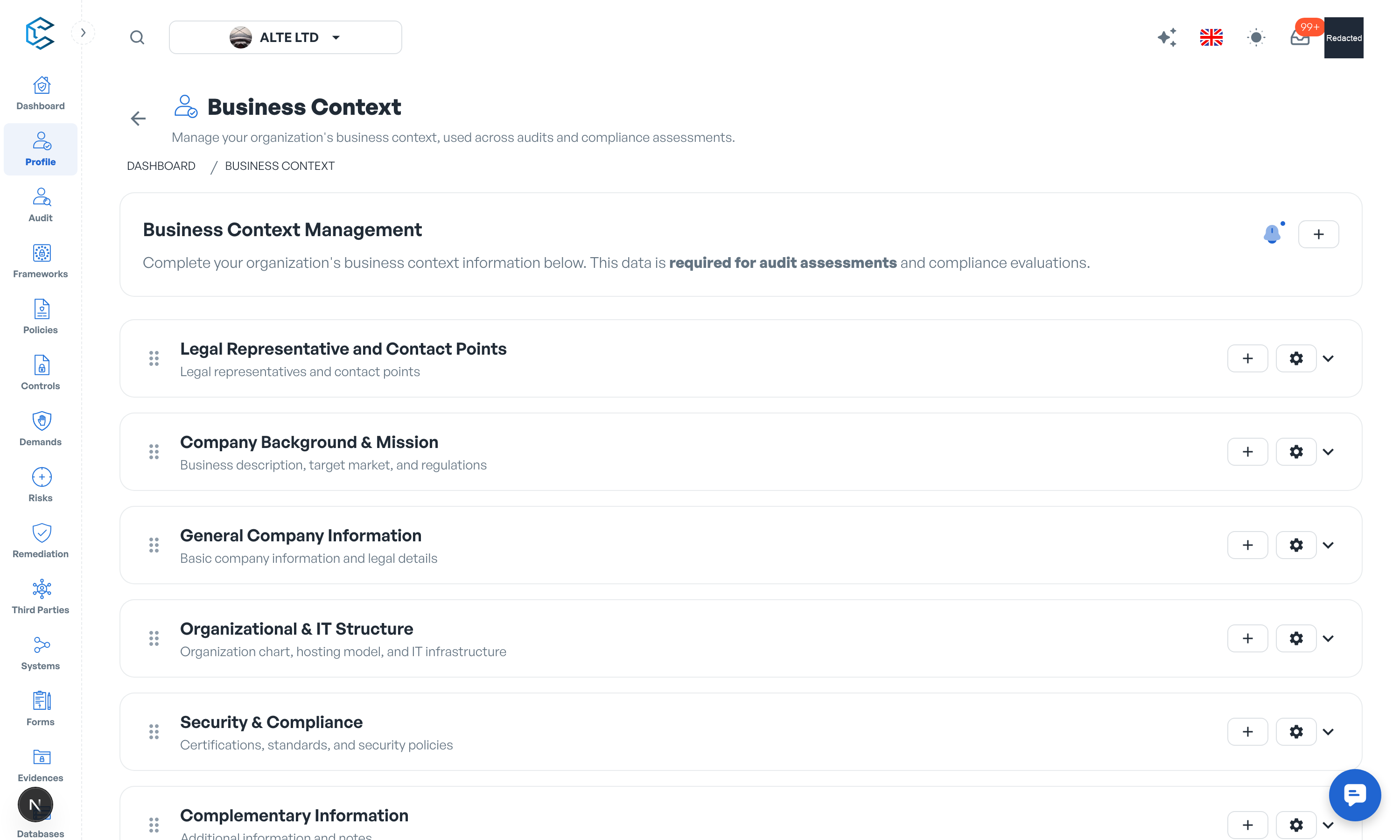
1. Default sections
The page ships with a ready-made structure you can start filling immediately:
-
General Company Information
The core administrative and legal details: Legal Name, Trade Name, Registration Number, Date of Incorporation, Jurisdiction Country, Legal Entity Type, and the Head Office Address.
-
Legal Representative and Contact Points
Record authorised legal representatives with their Full Name, Title / Role, Scope of Authority, Email, Signature Rights, validity Start and End Dates, and where the authority is Documented In. Contact points cover the Security Officer (CISO), Compliance Officer, Data Protection Officer (DPO) and Primary Operational Contact, each with name and email.
-
Company Background & Mission
The business identity: Business Description, Target Market / Customers, Company Size, Estimated Revenue and Applicable Regulations. This section contextualises your risk environment and operational scope.
-
Organizational & IT Structure
How the organisation and its IT are structured: an Organization Chart, the Hosting Model, Primary IT Providers and Data Location. These details support data protection and sovereignty obligations.
-
Security & Compliance
Your adherence to recognised practices: Obtained Certifications, Followed Standards, whether a security policy is available, the Date of Last Security Audit, and the Information Security Policy (ISP) document itself.
-
Complementary Information
Free space for additional notes that do not fit the sections above.
2. Customising the structure
The whole page is customisable, so you can adapt it to your compliance scope:
- Add sections with their own title and subtitle (for example a Financial Information section).
- Add fields to any group, choosing among the types Text, Long Text, Date, Select, Country and File, in full or half width.
- Manage existing fields and groups: rename, reorganise or remove what you do not need.
3. Files and evidence
File fields let you upload official records: statutes, appointment letters, registration certificates, insurance attestations, the organisation chart or the ISP document. Files are stored securely in the workspace and sit right next to the context they support.
4. Purpose
A well-maintained profile means your organisation's contextual information is:
- Structured and complete for compliance and audits,
- Consistent with the rest of your ISMS documentation in CSFaaS,
- Easy to keep current as the organisation evolves.
It is the foundation the risk, control and policy modules build upon.
Tip: edits on this page are collected by the global save bar at the bottom of the screen; remember to save before navigating away.
Privacy note. Personal details in this revision have been removed, masked or replaced for privacy. The original is retained privately.