

Your profile holds your personal information and your account security. It applies to your account across all workspaces.
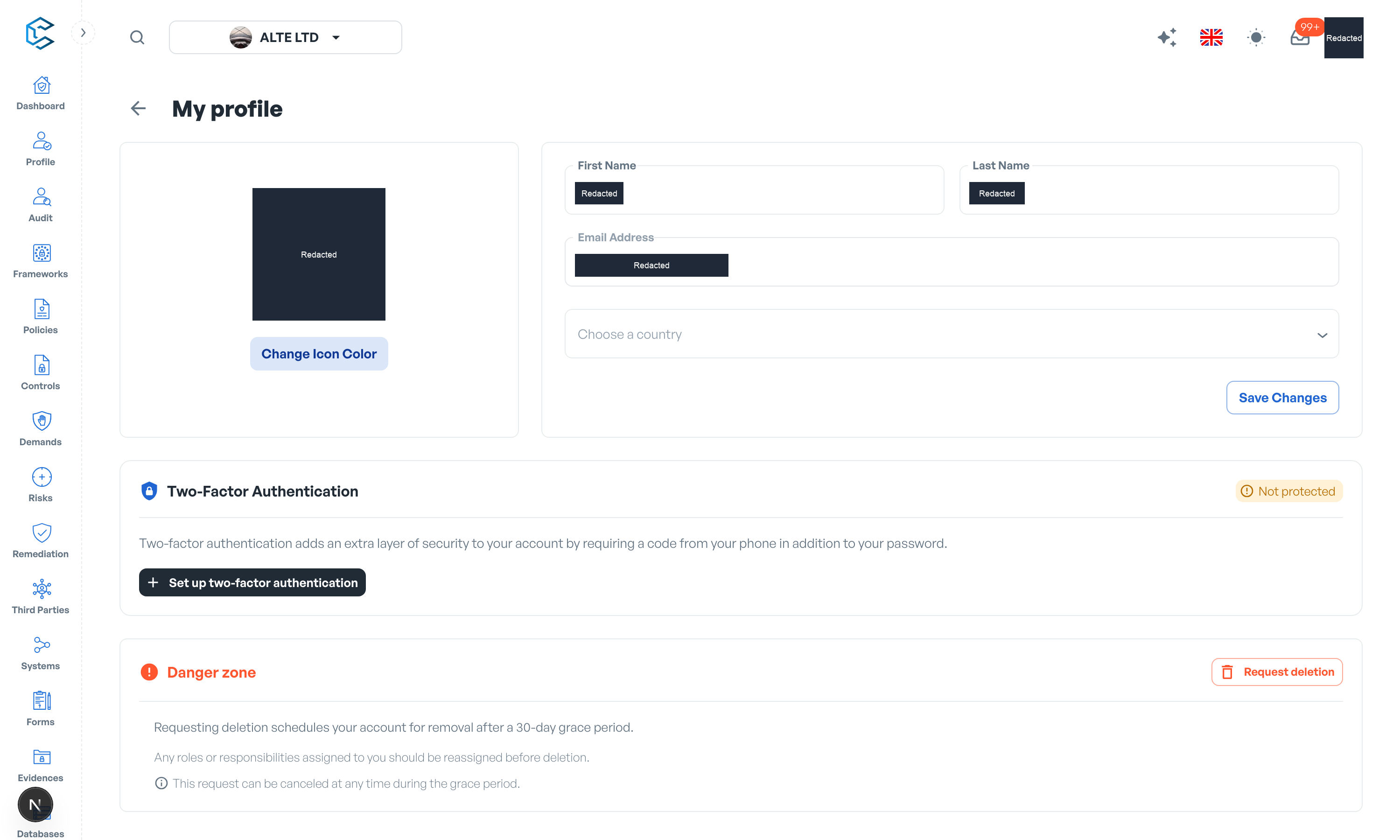
1. Accessing your profile
- Click your avatar in the top right corner of the header.
- Select My Profile.
2. Personal information
- Name: edit your first and last name; they appear on everything you own, review and approve.
- Email address: the address you sign in with.
- Country: choose your country from the list.
- Icon colour: pick the colour of your avatar, used across member lists and presence indicators.
Save your edits with Save changes.
3. Interface language
The interface language is not set on this page: use the language selector in the header to switch between English, French and Spanish at any time.
4. Two-factor authentication (2FA)
Two-factor authentication adds an extra layer of security by requiring a code from your phone when you sign in. The Two-Factor Authentication section of My Profile shows your current status (Protected or Not protected) and hosts the setup wizard:
- Select Set up two-factor authentication.
- Scan the QR code with your authenticator app (Google Authenticator, Authy or similar), or use the manual setup key.
- Enter the 6-digit code the app generates and select Verify & activate.
- Save your backup codes: the wizard shows one-time codes you can copy or download. Each can be used once to sign in if you lose your authenticator; you can regenerate the set at any time.
You can register several authenticators on the same account with Add another authenticator, and removing one requires a current code from it. If you lose access entirely, use a backup code on the sign-in screen: it signs you in once and resets 2FA so you can enrol again.
5. Deleting your account
From the same page you can request the deletion of your account.
Note: CSFaaS sign-in is passwordless (email code or Google), so there is no password to change here. Keeping 2FA enabled is the strongest protection you can add to your account.
Privacy note. Personal details in this revision have been removed, masked or replaced for privacy. The original is retained privately.